CS-Cart

Individual attributes

One-off product specs in a single field instead of hundreds of global features. Edit them as fields or JSON; they go to import, export, the API and feeds.

What it can do

  • A clean feature listSpecs that only one product has stay out of global features, so the feature list and filters stay tidy.
  • Fields or JSONName and value, sections, drag to reorder. Paste a spec table from the maker's site and it splits into rows.
  • ImportOne CSV column, one REST API field. Takes the full list with sections or a short name-to-value map.
  • Languages and variationsSeparate specs for each language or one set for all. Variations inherit them from the parent or keep their own.

In CS-Cart every feature is global. If one laptop has “Keyboard backlight: RGB, 4 zones”, that feature shows up in the feature list, in filters and on every product of the category. A year later there are hundreds of them, and finding the one you need is hard.

The add-on gives each product a second list, an individual one. It is stored in a single field and shown on the storefront next to the regular features: above them, below them or in a tab of its own. Customers see no difference.

Where they show up

  • On the product page — in the Features tab or in a tab of their own. The mode is set in the add-on settings and can be changed per product.
  • In product comparison — rows with the same name are merged across products.
  • In feeds — the add-on provides a snippet for the feed template, for example for AB: Product Feed Export.

When a product has a global and an individual feature with the same name, the global one wins.

What they are not

Individual attributes are not used in filters. A spec that customers should filter by belongs in a global feature.
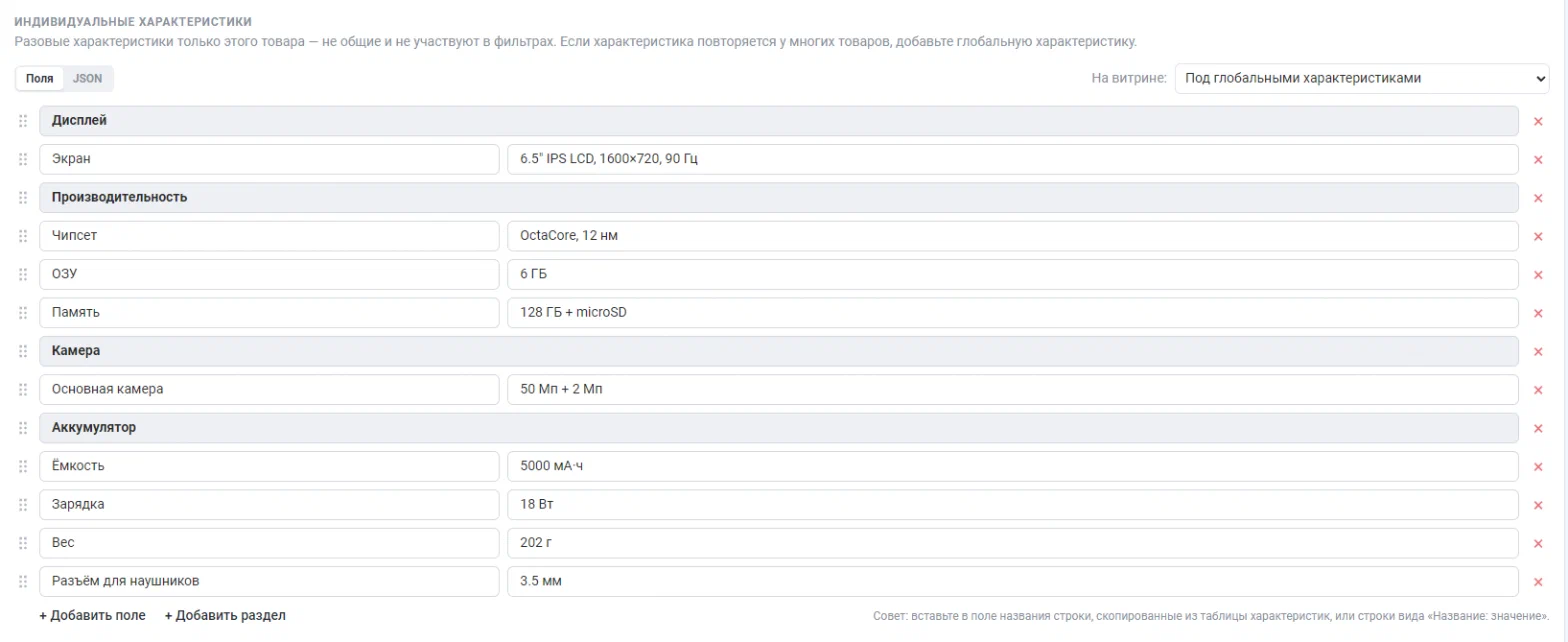
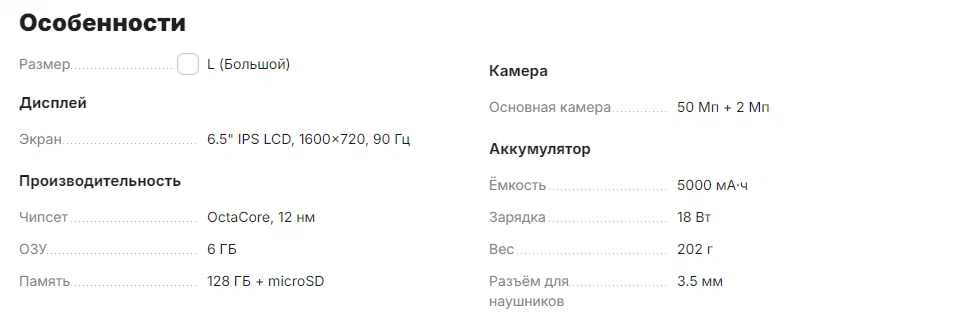
Screenshots

The editor on the product page: sections, fields, drag to reorder and the storefront mode.
On the storefront — next to global features, grouped by section.

What's new

1.5.0
  • ChangedFeed output is now a ready-made template snippet in the add-on settings instead of a tie-in with one feed add-on. It works with any template and also passes the section name.
All changes