Categories are under Catalogue → Categories: the tree products are put into, and at the same time storefront pages — each category has its own address, a list of products with filters and a place in the menu.
How a category shows products
A category is everything under it. On the “Smartphones” page the customer sees the products of “Apple”, “iPhone 17 Pro” and every nested category, with filters over all of them. There is no switch “show the subcategories’ products”: it always works this way.
A product may lie in several categories; the first counts as the main one and gives the product its breadcrumbs.
The categories list
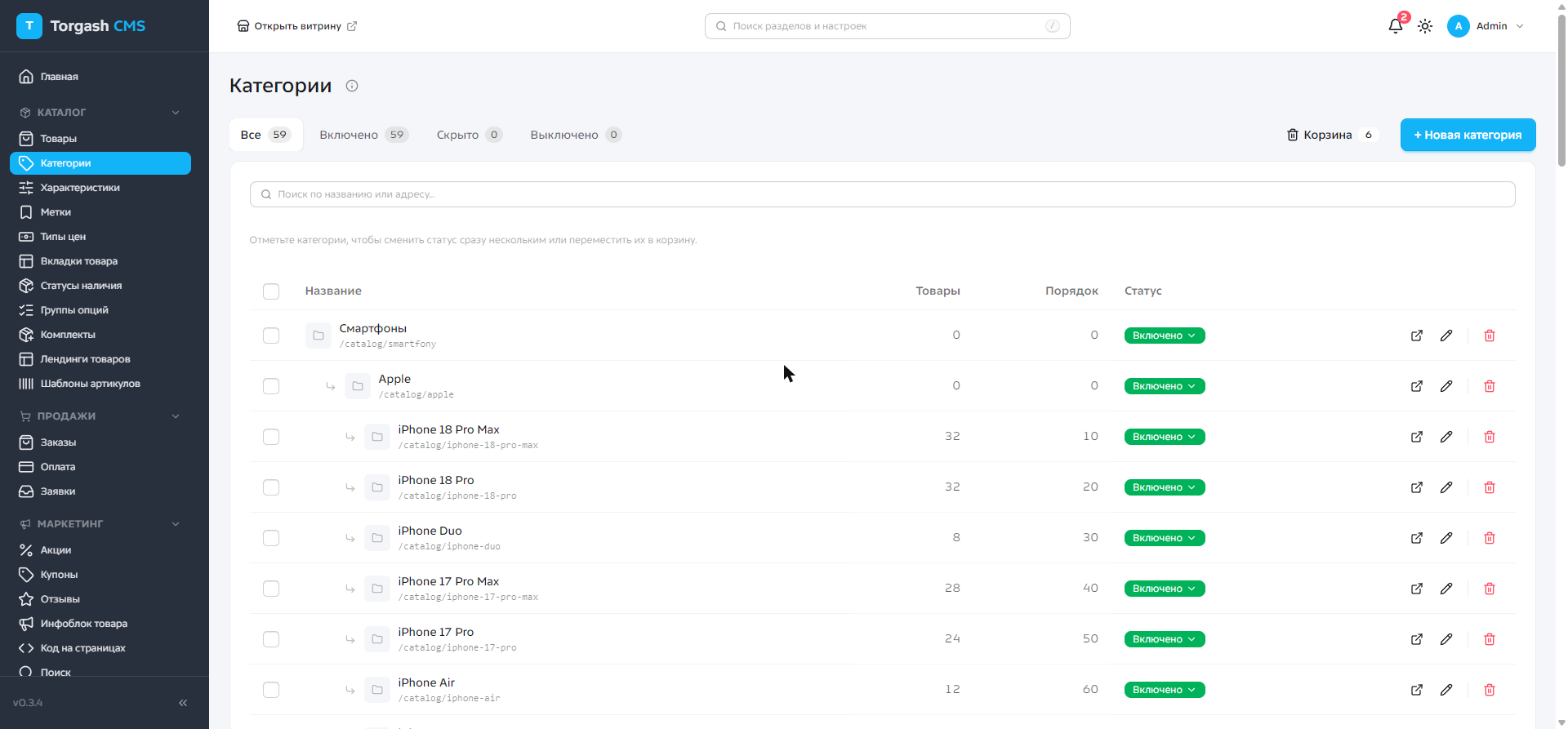
The list draws the tree: nested categories stand under their parent with an arrow. A row holds the name and the page’s address, the number of products, the sort order among its siblings and the status, changed right here. The tabs over the table are by status; the search is by name or address.
Tick several categories to change their status at once or move them to the trash. The trash keeps deleted categories; they can be brought back from there.
The category’s card
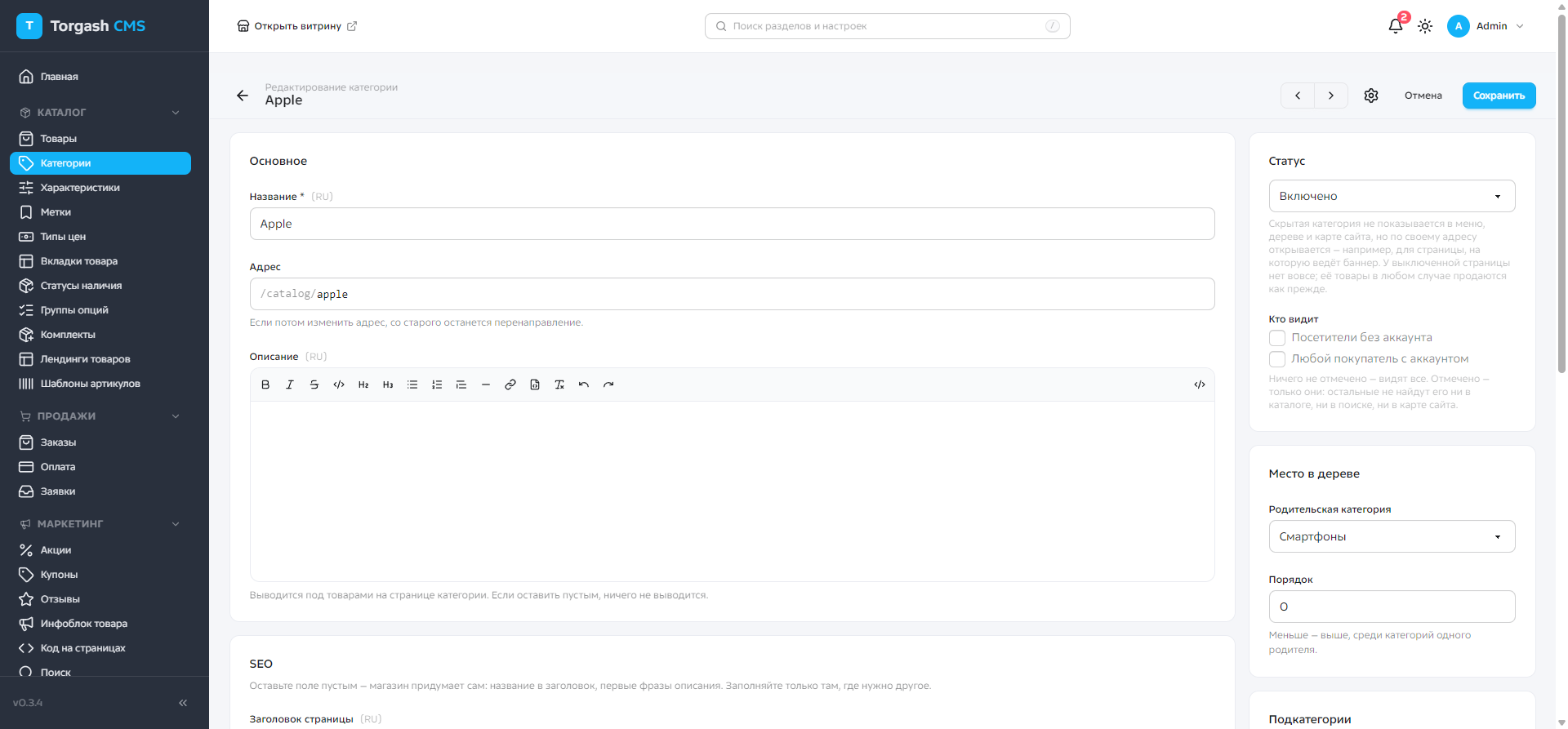
Basics
- Name — required in the base language; the other languages are filled by switching the content language at the top of the admin.
- Address — the part of the link after
/catalog/. Made from the name; changed later, it leaves a redirect from the old address. - Description — printed under the products on the category page. Empty, nothing is drawn.
Status and who sees it
- Enabled — the category is in the menu, the tree and the sitemap.
- Hidden — the page opens by its address, but it is in no menu or tree. For a category a banner or a link leads to.
- Disabled — there is no page; the products go on selling in their other categories.
Who sees it — the customer groups the category is shown to. Nothing ticked: everybody.
Place in the tree
- Parent category — “top level” or any other; the depth is not limited.
- Sort order — a number, smaller first, among the categories of one parent.
Subcategories
How the nested categories show on this category’s page: as the theme says, tiles with a picture, buttons in two rows, or not shown. The general setting is in the theme’s settings; here is only the exception for one category.
Icon and tile picture
- Icon — a name from the Lucide set (
shirt,flame,backpack) or your own picture: drawn beside the category in the phone menu and on the home page. - Tile picture — a photo of what is inside, for the “Category tiles” block and the row of subcategories: square, 256 px or more.
SEO
The title, the description for search engines and the picture for a shared link. An empty field the shop fills itself from the name and the description; fill it only where something else is needed.
What’s next
- Product — what lies in a category.
- Characteristics and groups — bind characteristics to a category and the product form shows only those.