Characteristics are under Catalogue → Characteristics: the properties many products share — brand, colour, memory, material. The catalogue’s filters work by them, they stand in the specifications table on the product page and they switch variations.
A property of one product alone (“in the box: a cable and a case”) needs no characteristic: a product has individual rows for that on its Characteristics tab.
The list
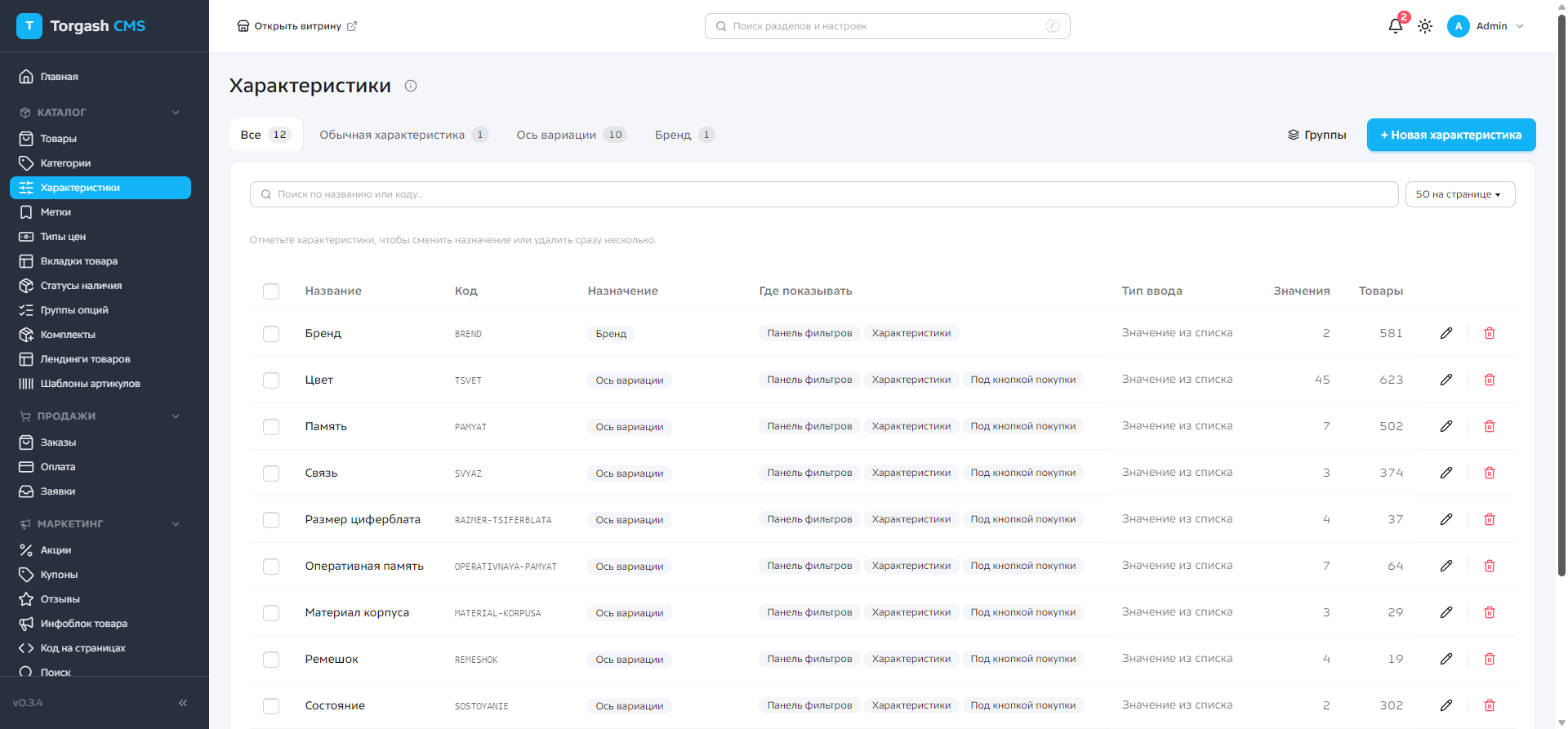
The tabs over the table are by purpose: plain characteristic, variation axis, brand. A row holds the name and code, the purpose, where it is shown, the input type, how many values it has and in how many products it is filled. The Groups button leads to the groups screen; + New characteristic makes one.
Tick several to change their purpose or delete them at once.
The characteristic’s card
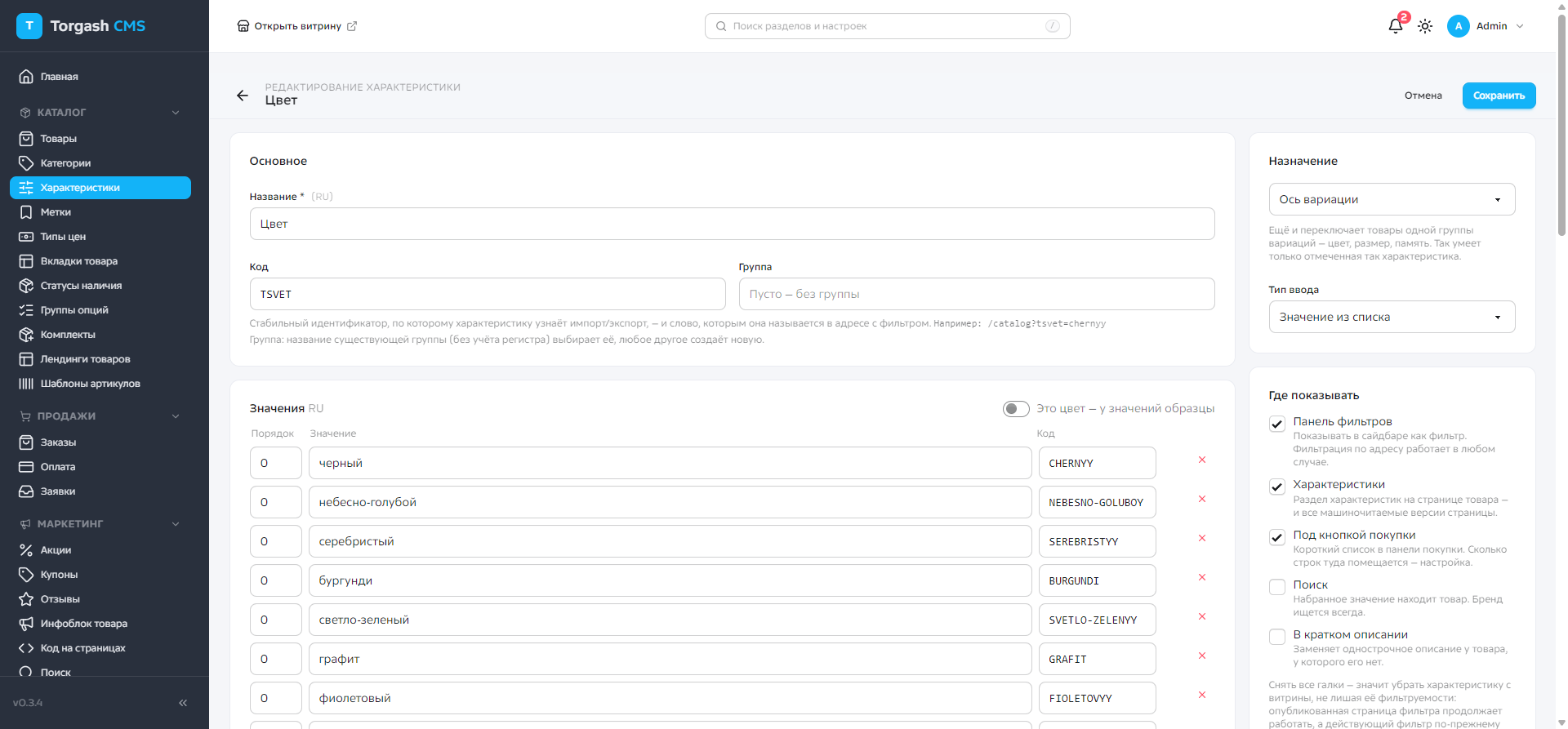
Basics
- Name — in the content language picked at the top.
- Code — a stable id for import and export, and the word in a filter’s address:
/catalog?color=black. Made from the name; better not changed after publishing, the filter addresses would change. - Group — the heading the characteristic stands under on the product page. An existing group’s name picks it; a new word makes a new group.
Purpose
- Plain characteristic — a property of the product: filtered by, shown in the specifications.
- Variation axis — the same, and it switches the products of one variation group: colour, size, memory. Only a characteristic marked so can.
- Brand — one per shop; every value has a brand page of its own.
Input type
- A value from a list — the product picks one of the values set up here. Only such a characteristic is filtered by and switches variations.
- Free text and number — the product types its own. A number is filtered by a range.
Values
For a list characteristic: the order, the value in the current language, the code. The “A colour — values get a swatch” switch gives every value a colour swatch for the filter panel and the variation switch.
Where it is shown
- In the filter panel — in the catalogue’s sidebar. Filtering by address works in any case.
- Characteristics — the table on the product page and the machine-readable versions of the page.
- Under the buy button — a short list of what matters in the buy box; how many rows fit there is a setting.
- Search — a typed value finds the product. The brand is always searched.
- In the short description — stands in for the one-line description of a product that has none.
Untick everything to take the characteristic off the storefront without losing its filtering: a published filter page goes on working.
How the values look
- When choosing a variation on the product page: labels in a row, pictures of the variations, colour swatches or a drop-down list.
- In the filter panel: a list of ticks, buttons in rows or colour swatches (needs the “A colour” switch).
Categories
None — the characteristic applies to every product. Attached to a category — to it and everything under it. The product form shows the characteristics of its categories, so attaching saves scrolling through the whole shop’s list.
Groups
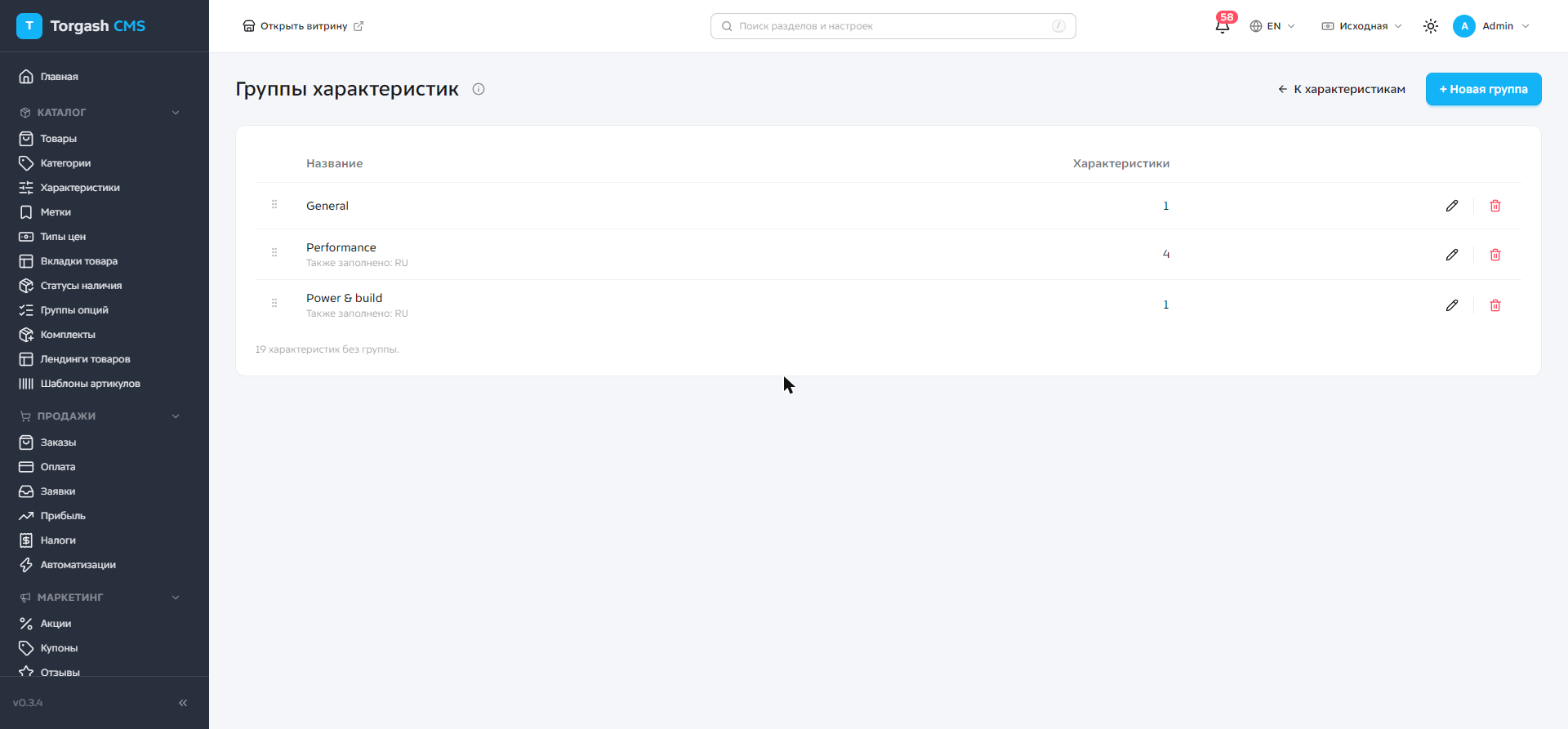
The Groups screen (the button over the characteristics list) holds the headings characteristics stand under on the product page and in its form. The order changes by dragging and is saved at once. A group’s name is translated into every content language. Deleting a group leaves its characteristics without one.
What’s next
- Product — how characteristics are filled on a product and how individual rows differ.
- Categories — what to attach to.