Labels are under Catalogue → Labels: the plates on a product’s card in lists and on its page — “New”, “Bestseller”, “−15 % off”, “Made in Italy”. A label is put on a product by hand in its card, or by itself, by rules.
The labels list
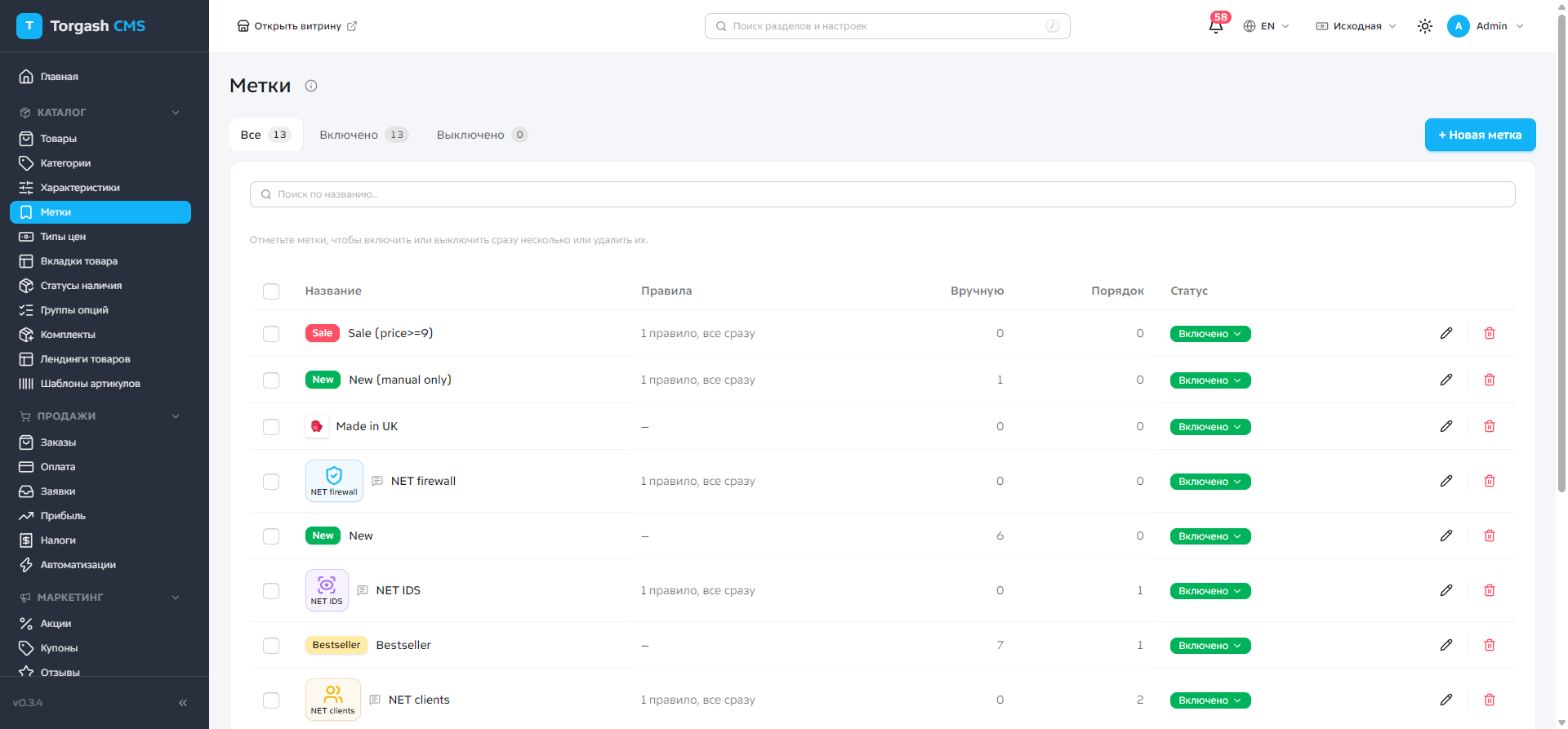
A row holds the badge as it looks on the storefront, the number of rules, how many products carry it by hand, the sort order (which plate goes first when a product has several) and the status. A disabled label disappears from every product but forgets nothing.
The label’s card
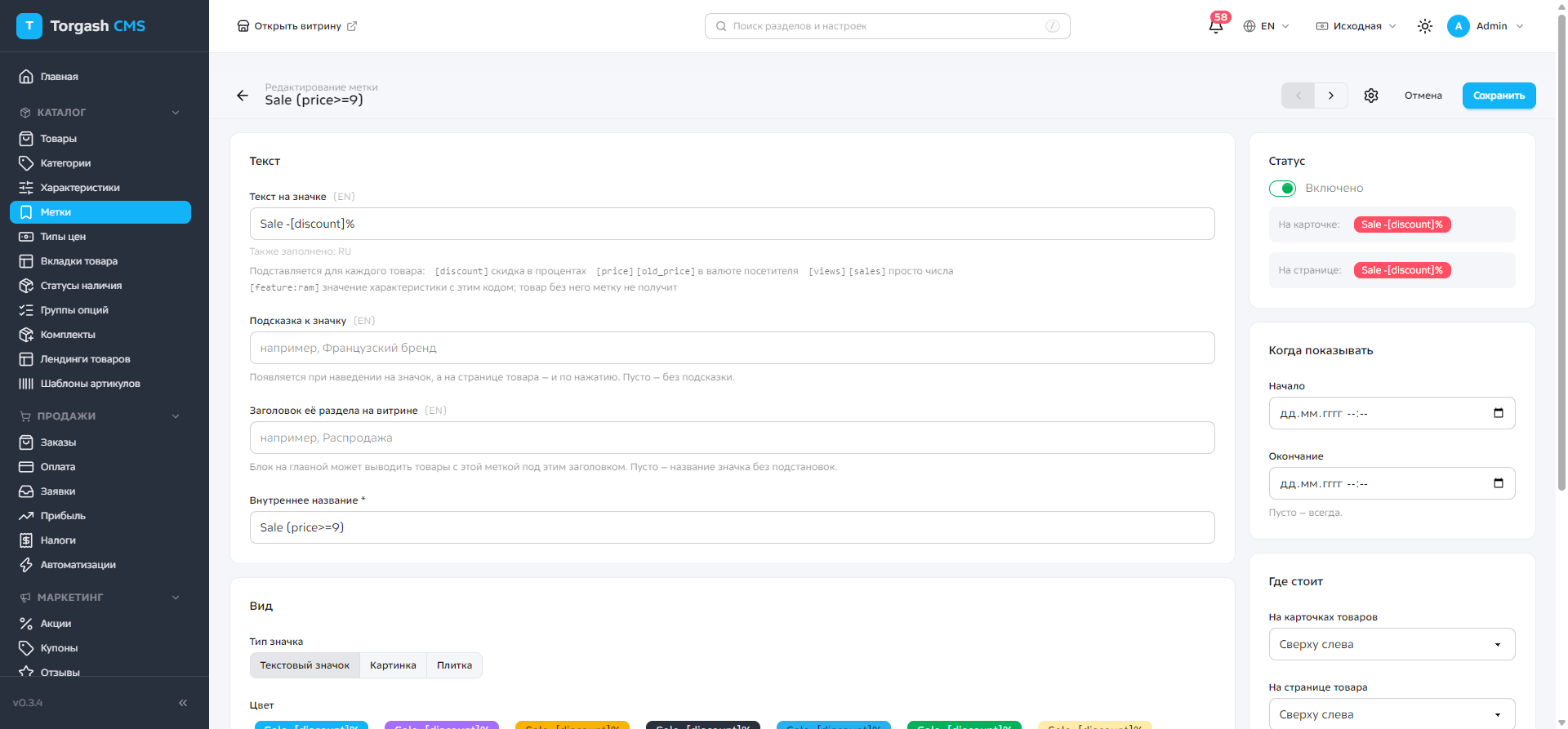
Text
- Name on the badge — the word on the plate, in the content language. The product’s own numbers go into it:
[discount]— the discount in percent,[price]and[old_price]— in the visitor’s currency,[views]and[sales],[feature:code]— the value of the characteristic with that code (a product without it gets no label). - Hint over the badge — opens when the pointer rests on it, on the product page on a tap.
- Heading of its section on the storefront — a block on the home page can show the products with this label under that heading: “On sale”.
- Internal name — for the admin alone: “New arrivals, 30 days”.
Look
- Badge type: text — a coloured plate with a word; picture — your file (SVG too) or a Lucide icon; tile — a square with a picture and the words under it, a pictogram.
- Colour — from the theme’s palette, or your own: background and text for the light theme and, if you like, others for the dark one.
- Size on product cards and on the product page — set apart.
When and where
- Start and end — the label shows in that period alone; empty — always. That is how “Black Friday” is set up ahead.
- Where it stands on product cards and on the page: one of the corners, over the short description, under the buy button, or not shown.
Rules
A label puts itself on the products that meet its conditions: price, stock, days since added, category, characteristic, discount in percent, priced below the RRP, views, units sold. Several conditions may be set; choose whether all must match or one is enough.
By hand a label is set in the product’s card under “Labels”; a manual one does not depend on the rules and stays until taken off.
What’s next
- Product — where a label is set by hand.
- Promotions (the Marketing section) — the discount a label shows as
[discount].