Customers are under Customers. Everybody with an account in the shop is here: who registered, who ordered while signed in, and who a manager added. Staff are not listed; they are under Administrators.
The customer list
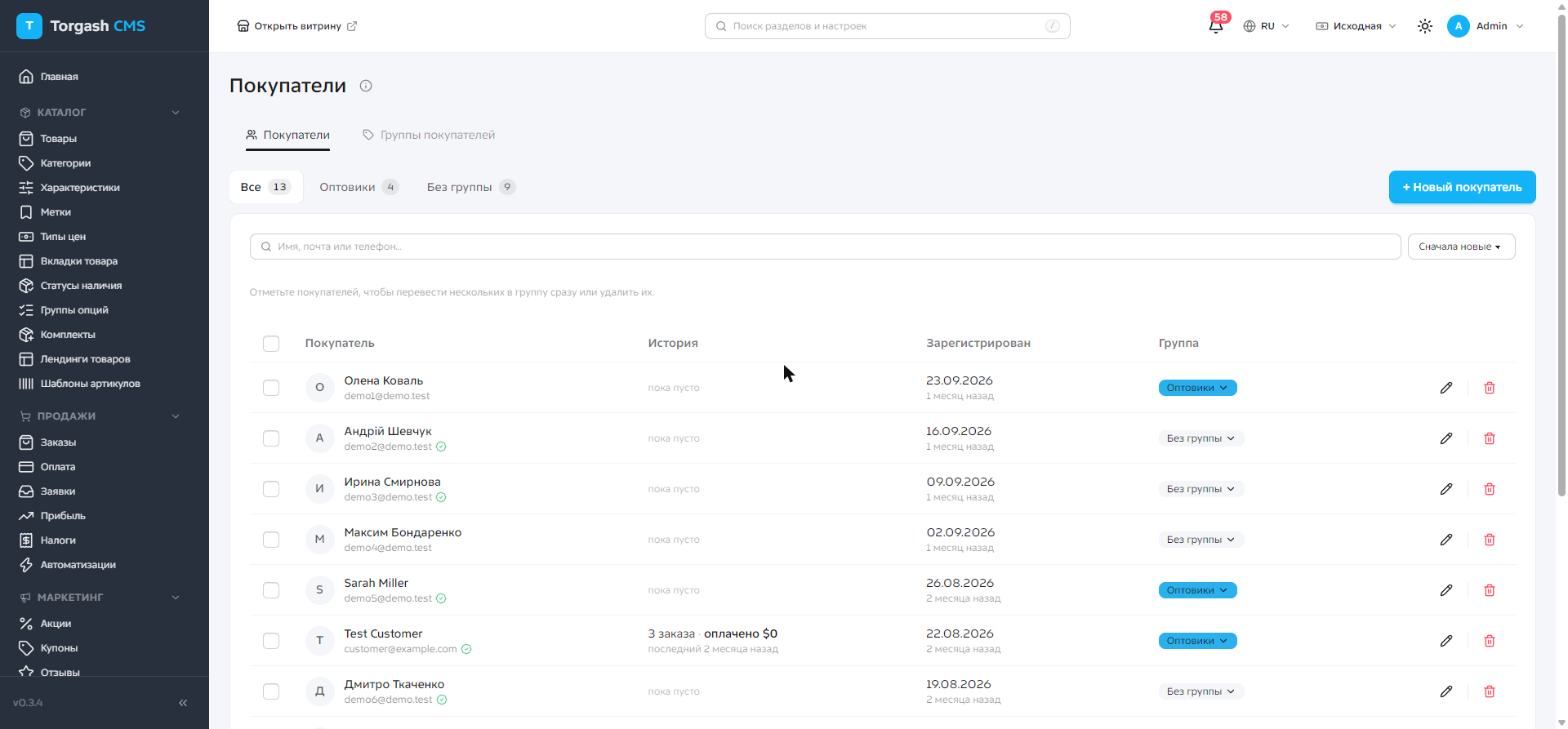
The tabs above the table are the customer groups with counts, plus “No group”. Search finds a name, an email, the account’s phone, a phone on any of its addresses, and the external ID (from 1C or an import). Sort by newest, oldest or name.
In a row:
- Customer — the name and email; a green tick means the email is confirmed.
- Activity — how many orders, how much paid, and when the last one was. “Nothing yet” — an account with no orders.
- Registered — the date and how long ago.
- Group — changed right in the row, from a drop-down.
Tick several and the bar at the bottom moves them into a group at once or deletes them.
The customer’s card
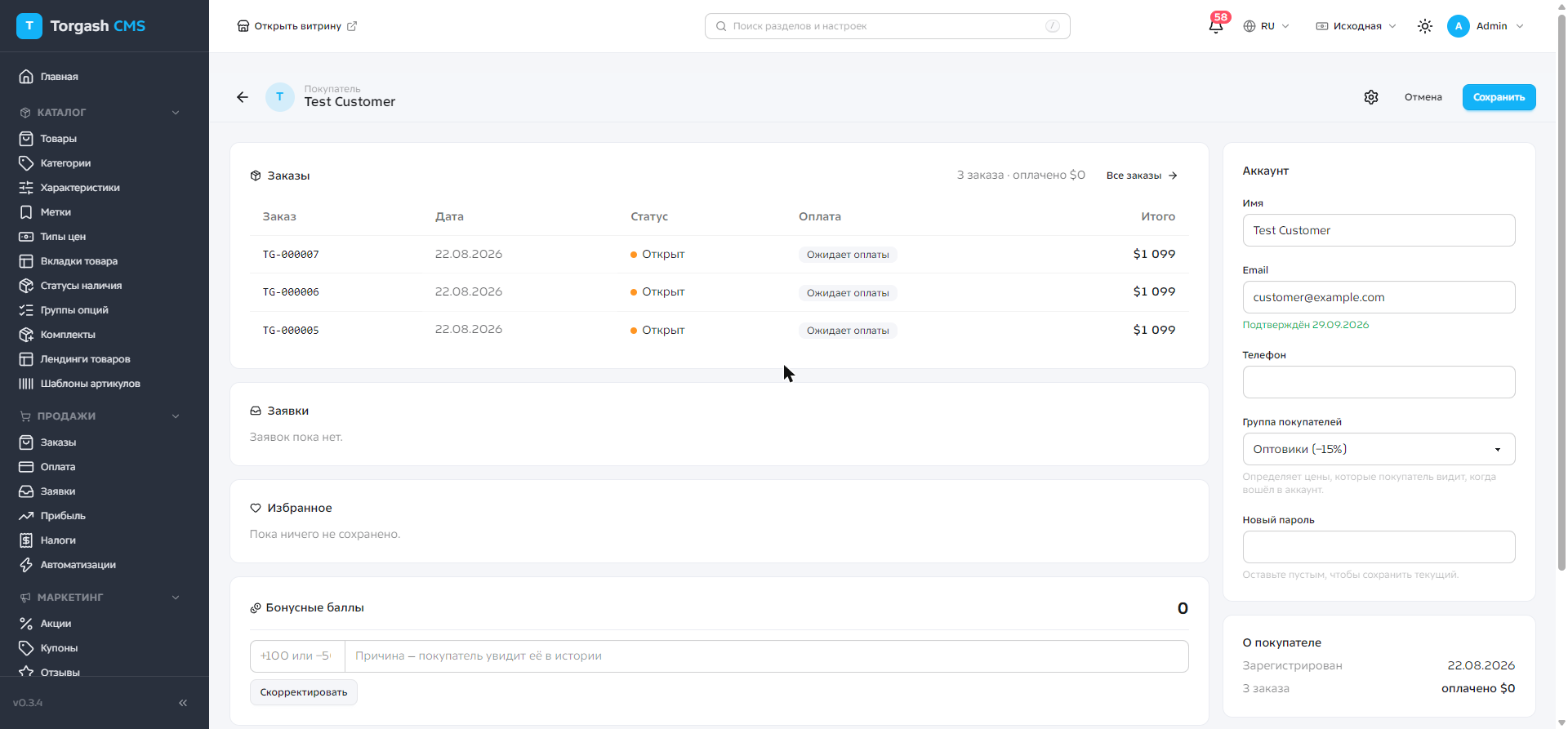
On the left, what the customer did in the shop. Each block is brought by its module and is absent when the module is not installed:
- Orders — the latest ten with status, payment and total, the “orders · paid” summary, and All orders, the order list filtered to this customer.
- Enquiries — their messages and returns.
- Wishlist — what they saved, with price and stock.
- Loyalty points — the balance and a box for a manual adjustment:
+100or-50and a reason the customer sees in their history. - Addresses — saved delivery addresses, the default one marked.
On the right, the account: name, email (with the date it was confirmed), phone, customer group and new password. A blank password keeps the current one.
An account made by the shop
+ New customer makes an account on somebody’s behalf: a wholesale client, a regular who orders by phone. It needs a name and an email or a phone; the group can be chosen straight away.
The password can stay empty. Then nobody can sign in until one is set, and there is no guessable default. Tick Send them a letter to choose their own password and they get a link.
Deleting
Delete from the card’s gear menu or with the bin icon in the list. Before anything happens, the dialog lists what becomes of what the person left in the shop. Each module speaks for itself: addresses, wishlist and saved basket are deleted, orders and enquiries stay under the name they were placed with.
The account is gone for good, nobody can sign in to it again. When a person asks for their data to be erased under the law, use a request under Personal data: erasing there goes further and is recorded.
What’s next
- Groups and prices — what a customer’s group changes.
- Enquiries — their messages.