Groups are on the Customers → Customer groups tab. A group decides which prices a customer sees while signed in, and what the catalogue shows them. A guest and a customer with no group see list prices.
The group’s card
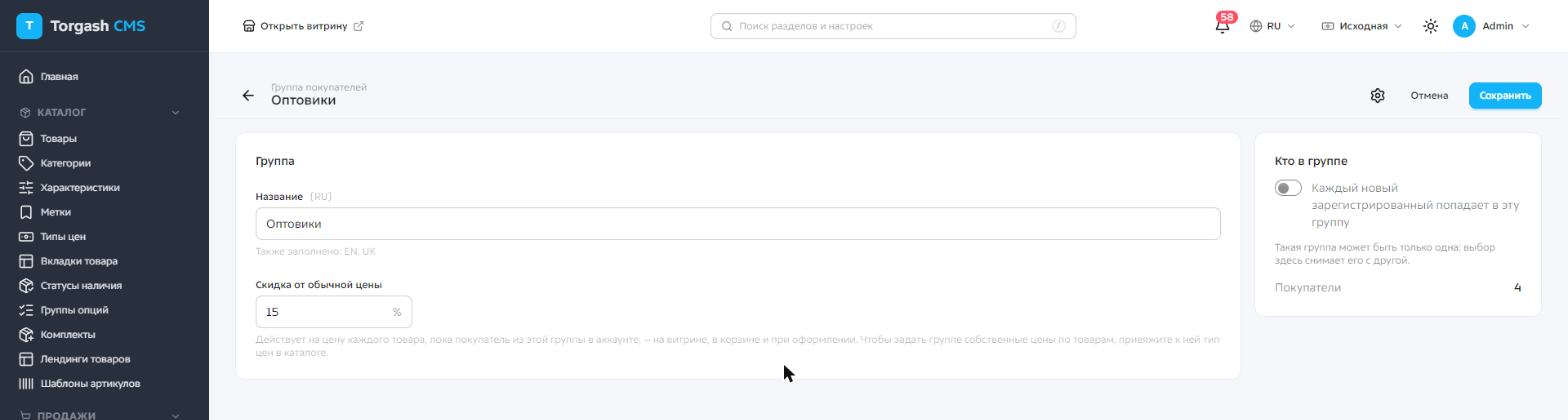
- Name — written in the content language chosen at the top of the admin; switch the language and type the name in another.
- Discount off list price — a percent applied to every product while a customer of the group is signed in: on the storefront, in the cart and at checkout.
0is a group with no general discount, only price types of its own. - Every new registration joins this group — one group at most; ticking it here takes it off any other. None ticked, and new customers join no group.
On the right, how many customers are in the group; the number opens their list. A deleted group sends its customers back to list prices.
A customer is moved into a group on their card, right in the list’s row, or several at once by ticking them in the list.
A price of the group’s own
A percent off the list price is not always right: wholesale wants a price from cost, not a discount from retail. That is what price types are for (Catalogue → Price types).
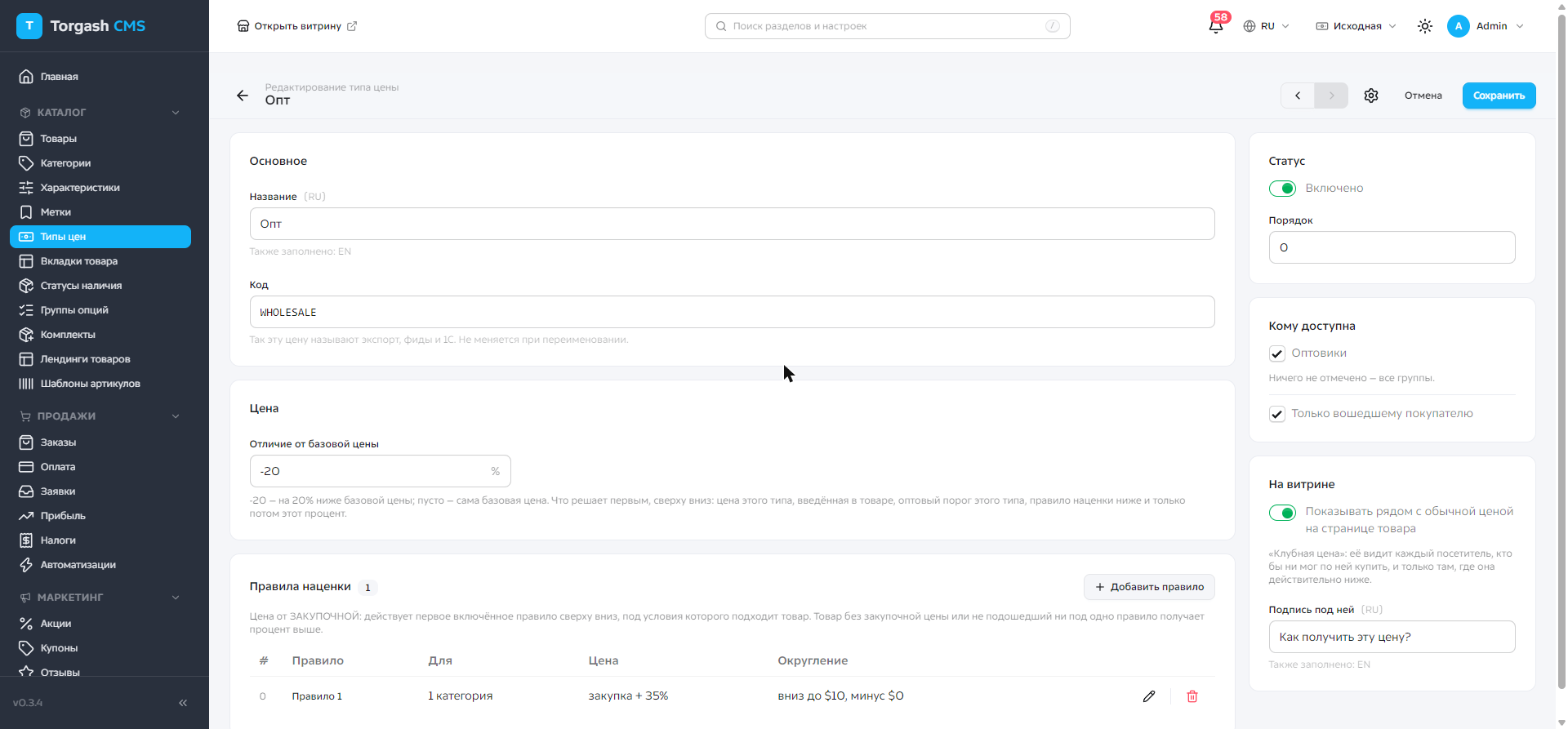
- Difference from the base price —
-20is 20% below retail. - Markup rules — a price from the cost price: “cost + 35%” for a category, with rounding. The first rule a product matches, top to bottom, applies.
- Who gets it — tick the groups. None ticked — every group. Only to a signed-in customer — a guest never gets this type.
- Show it beside the regular price — a “club price” on the product page: everybody sees it, with a note such as “How to get this price?”, and only where it really is lower.
A price of this type can also be typed by hand on the product’s card, and then it beats the percent and the rules.
Quantity tiers
On the product’s card, Pricing tiers: a price by quantity, for everybody or for one group. “From 10 pieces — 900” for the “Wholesale” group.
A closed assortment
A category and a product have a Who sees it field: visitors without an account, any customer with an account, particular groups. Nothing ticked — everybody. Ticked — only them: others do not find the product in the catalogue, the search or the sitemap. A closed category closes everything in it, subcategories included. That is how a wholesale section only wholesale customers see is made. Staff see everything, so they can check what a wholesale customer sees.
What an outsider gets from a direct link is the catalogue setting A product or category closed to the visitor’s group:
- Show its name and ask to sign in — no price, no way to buy. A wholesale customer forwards a link to a colleague, and the colleague sees “sign in” rather than “not found”.
- Not there at all — the address answers “not found”. For a range whose very existence is private.
What’s next
- Customer accounts — where a customer is moved into a group.
- Delivery — a delivery method can also be offered to certain groups only.