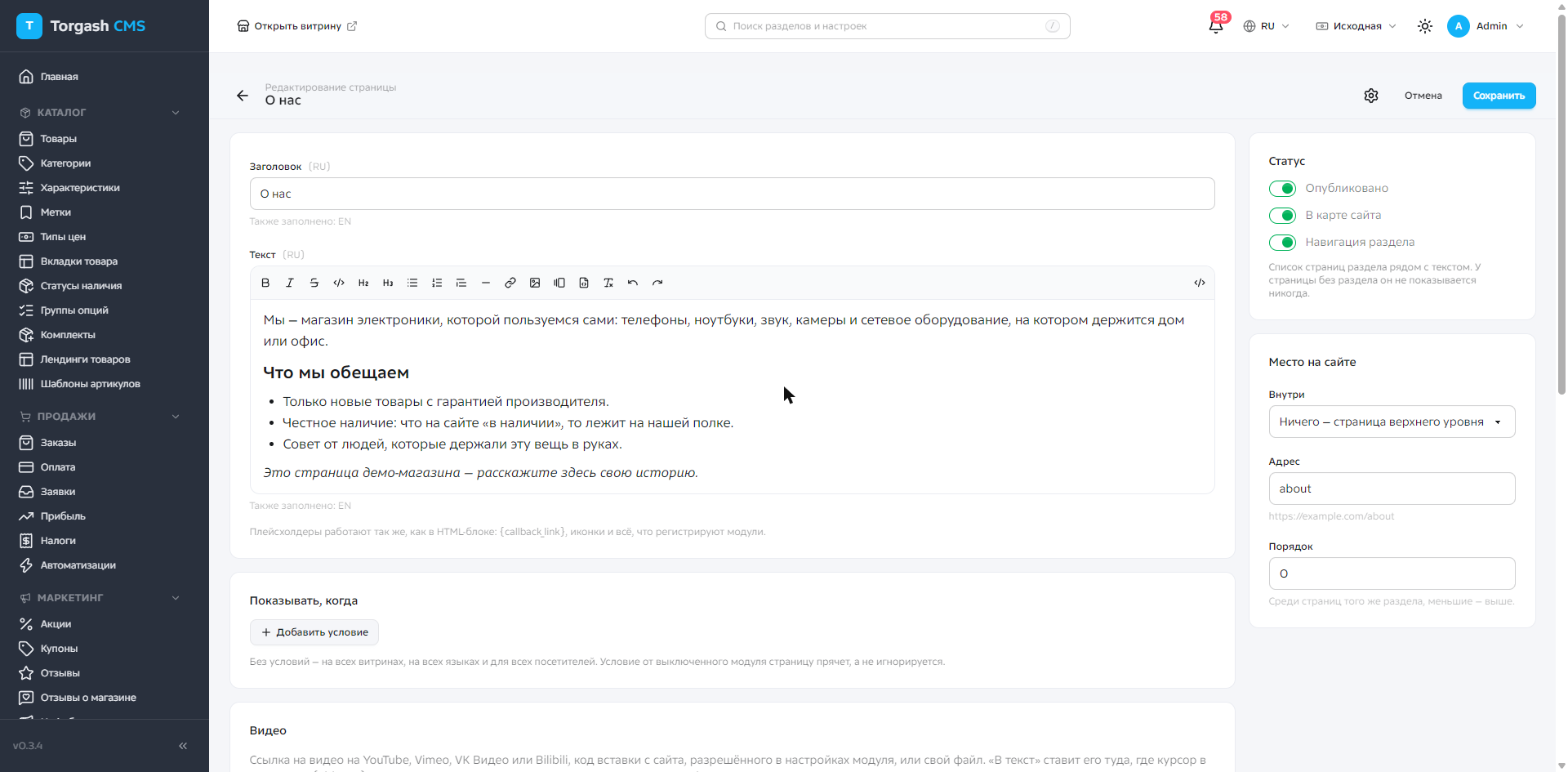
A page is a title, a text and an address: “About us”, “Payment and delivery”, “The offer”, “Privacy policy”. Appearance → Pages. A page lives at the root, /delivery, and in every language of the storefront, /ru/delivery, with nothing to do on your side.
The address
Leave Address empty and it is made from the title (Cyrillic is transliterated). It is only the page’s own part: the full address is the section’s address plus this part. Two pages under one parent cannot share a part; in different sections they can.
A rename or a move leaves a 301 redirect behind, so old links keep working. It matters here more than anywhere: the address of the delivery page ends up in printed material, marketplace forms and other people’s links.
A page’s address is safe by design: it is looked for after no other route matched, so it cannot take an address from the catalogue, the cart or a sale.
Sections
Inside: put a page into another and you get a section: “Info centre” with delivery, warranty and the offer in it. By itself:
- the address follows the structure,
/infoand/info/delivery; - breadcrumbs on every page below the top;
- section navigation beside the text: the section’s pages with the current one lit, two levels deep; switched off by the “Section navigation” flag, since a lone privacy policy has nothing to show;
- a side column and the area under the text are block zones: a banner, contacts, “share”. An empty zone draws nothing.
Sort order: among the pages of one section, smaller first. Deleting a section does not delete its pages: they move up into its place and redirect from the old addresses.
Publishing and showing
- Published is a switch; a draft is not reachable at all.
- Shown when: the same conditions a block has: the storefront, the language, the customer group. No conditions means everywhere. A page that fails its conditions answers 404: a page about what this visitor cannot get is worse than no page.
- In the sitemap is separate: a thank-you page or a landing page for an ad is published but need not be indexed.
The text
The editor is the one product descriptions use; pictures and galleries are inserted in it. Placeholders work as in an HTML block: {callback_link} for the callback window, {form:code} for your own form, icons and whatever modules register. What a placeholder does not know becomes nothing, so the page keeps working if a module was switched off.
Linking to it
Pages do not add themselves to menus. In Appearance → Menus create an item of the kind “Page” and choose it: it takes the page’s name in the reader’s language and survives a change of address. See Menus.