System → Cache and sessions is where the shop keeps what it has already worked out, and who is signed in right now. For a shop on one server nothing here needs changing.
Cache
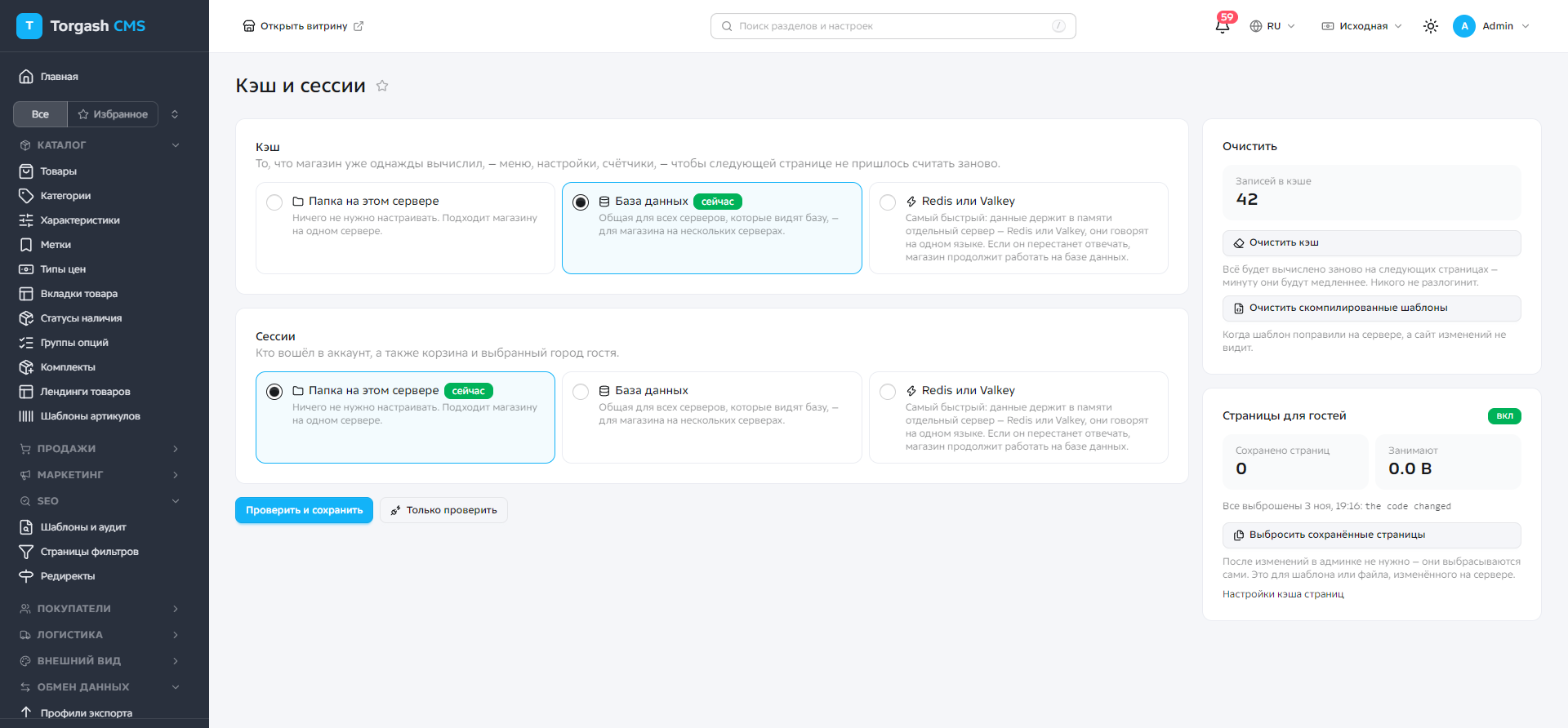
The cache is what the shop has worked out once already: menus, settings, counts. It is kept in one of three places:
- A folder on this server — nothing to set up. Right for a shop on one server.
- The database — shared by every server that reaches the database. For a shop on several servers.
- Redis or Valkey — the fastest: a server of its own keeps the data in memory. Redis and Valkey speak the same language. If it stops answering, the shop carries on with the database; the last outage’s date is shown here.
Redis takes an address, a port and a password. The cache uses Redis database 1 and sessions database 2, so clearing the cache signs nobody out. Clearing empties database 1 as a whole: do not share it with another site.
Sessions
Who is signed in, plus a guest’s cart and chosen town. The same three places. The choice for sessions is separate from the cache’s: the cache can live in Redis and the sessions in the database.
Check and save tries to connect where you pointed, and only then writes the choice into .env. Only check writes nothing. When .env cannot be written, the shop shows the lines to put into it by hand.
Clear
- Clear the cache — everything is worked out again on the next pages; they are slower for a minute. Nobody is signed out.
- Clear compiled templates — for a template edited on the server that the site does not pick up.
Pages for guests
A guest is served whole pages kept ready rather than drawn anew for each one. The card shows how many pages are kept and how much space they take, when they were last thrown away and why. Throw the kept pages away is needed only after a template or a file was edited on the server; a change in the admin throws them away itself. Switched on and tuned under Settings → Store → Page cache.