Checkout asks the usual: who the order is for, how to reach them, where to deliver, how to pay. Anything else your shop needs to know is your own fields: Sales → Checkout fields.
Kinds of field
| Type | Looks like |
|---|---|
| Line of text | one line |
| Several lines | a box of several lines |
| Drop-down list | a list to pick from |
| One of several | answers as buttons in a row, one tap |
| Tick box | a box with your text beside it |
| Date | a calendar |
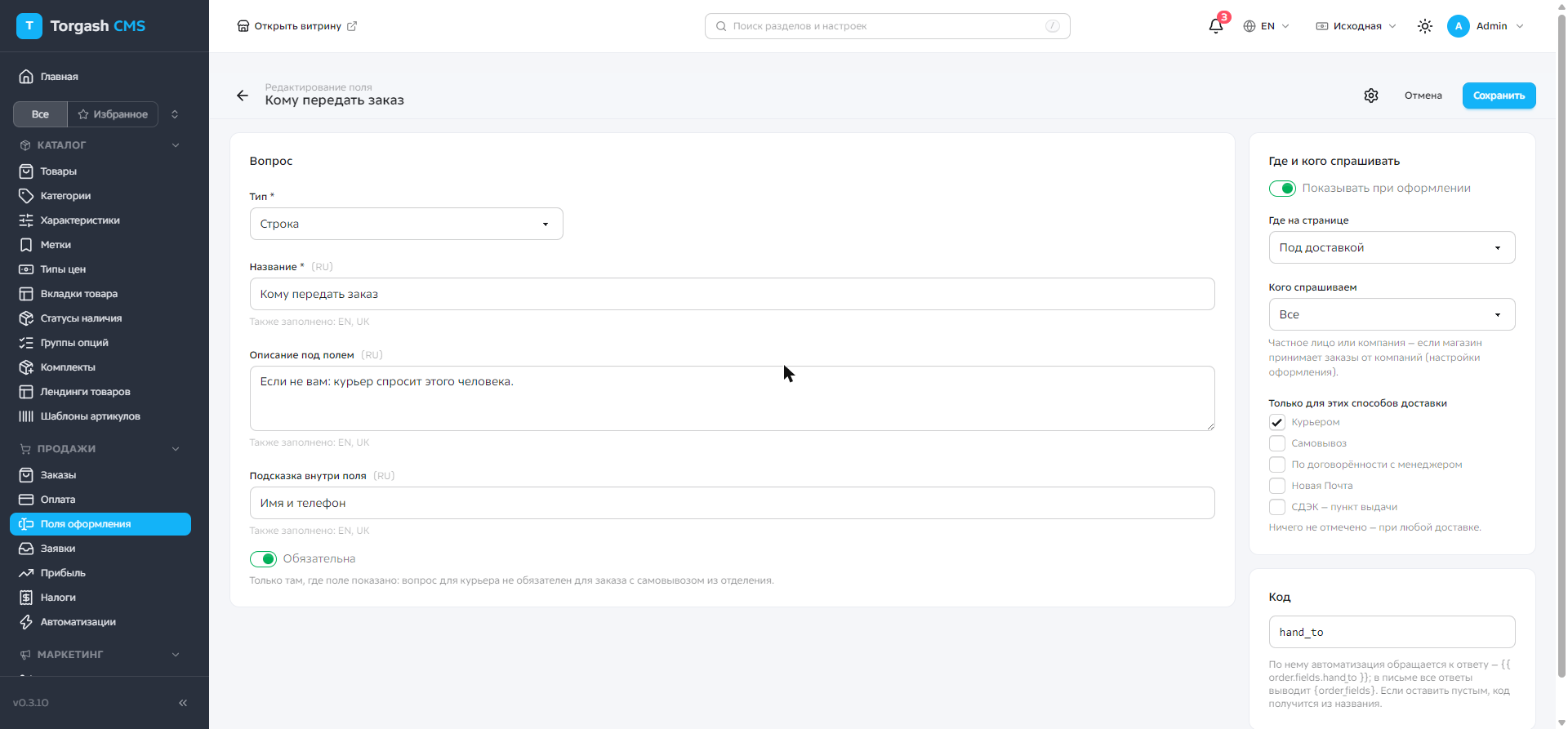
A field has a name, a description under it, a hint inside it and the required mark.
Where and whom to ask
- Place on the page — under the recipient, under the delivery or above the order comment.
- Who is asked — everyone, private buyers only or companies only (when the shop takes orders from companies — a checkout setting).
- Only for these delivery methods — tick the methods the field concerns; nothing ticked — any delivery.
A field is shown only where it is needed, and required only there: a courier question marked “required” does not stop a pickup order. The buyer changes the delivery — the field appears or goes.
Where the answers go
Into the order, as “Name: answer” lines — never into the buyer’s comment, which stays their own words:
- the order card in the admin;
- the buyer’s order page;
- letters —
{order_details}prints them with the rest of the order,{order_fields}alone; - automations —
{{ order.fields.CODE }}for one answer,{{ order.fields_text }}for all; - the orders export (the “Checkout fields” column) and the API (
fields).
Code is the name an automation reads the answer by. Left empty, it is made from the name.
Deleting a field leaves the orders alone: each keeps the answers it got.
Examples
A florist — “Who receives the bouquet”. Line of text, under the delivery, courier only, required. Description: “Name and phone of the person we hand the bouquet to”. Not asked for pickup.
“How did you find us”. One of several, above the comment, optional. Options: Google, Instagram, TikTok, A friend’s advice.
Company details. Lines of text for companies only: VAT payer (a tick box), IBAN, legal address. Checkout already asks for the company’s name and tax code itself.
A gift card. Several lines, above the comment: “The card’s text — we write it by hand”.
Delivery date. Date, under the delivery, courier only.
What’s next
- Delivery — the methods fields are tied to.
- Automations — a field’s answer in the message to a manager.