Delivery is under Logistics → Delivery (the shipping module). At checkout the customer is offered the methods that have a rate for their address. The address first falls into a zone, then every method looks up its rate in that zone, and a carrier may name the price itself.
Zones
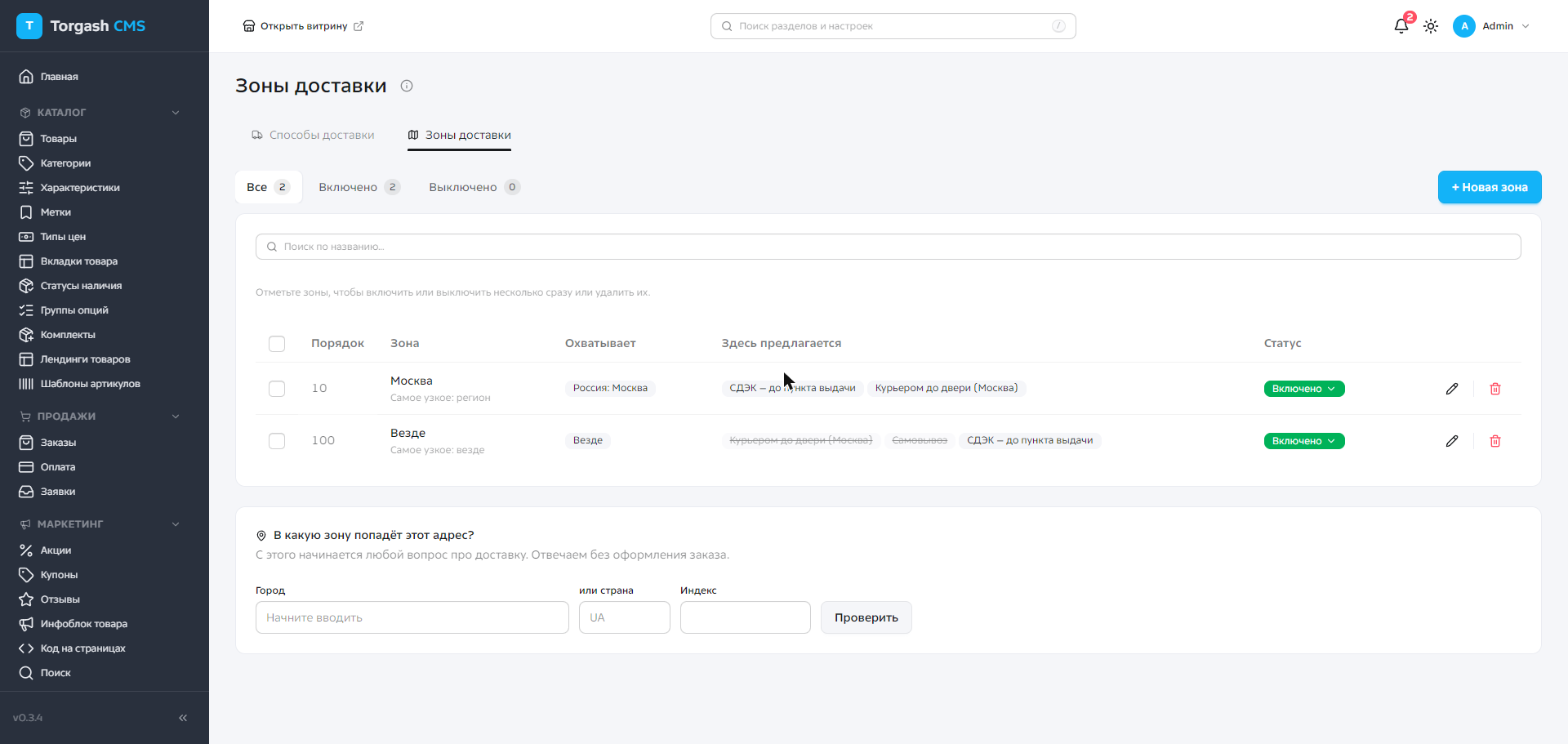
A zone is a territory: countries, regions, towns from the registry and postal codes (by pattern: 49* covers 49000, 49312…). The narrowest zone the address falls into wins: a town is recognised before a region, a region before a country. The “Everywhere” zone (*) catches whatever fell into no other.
The list shows, for each zone, which methods are offered in it and at what price, and whether it is free for any of them.
Methods
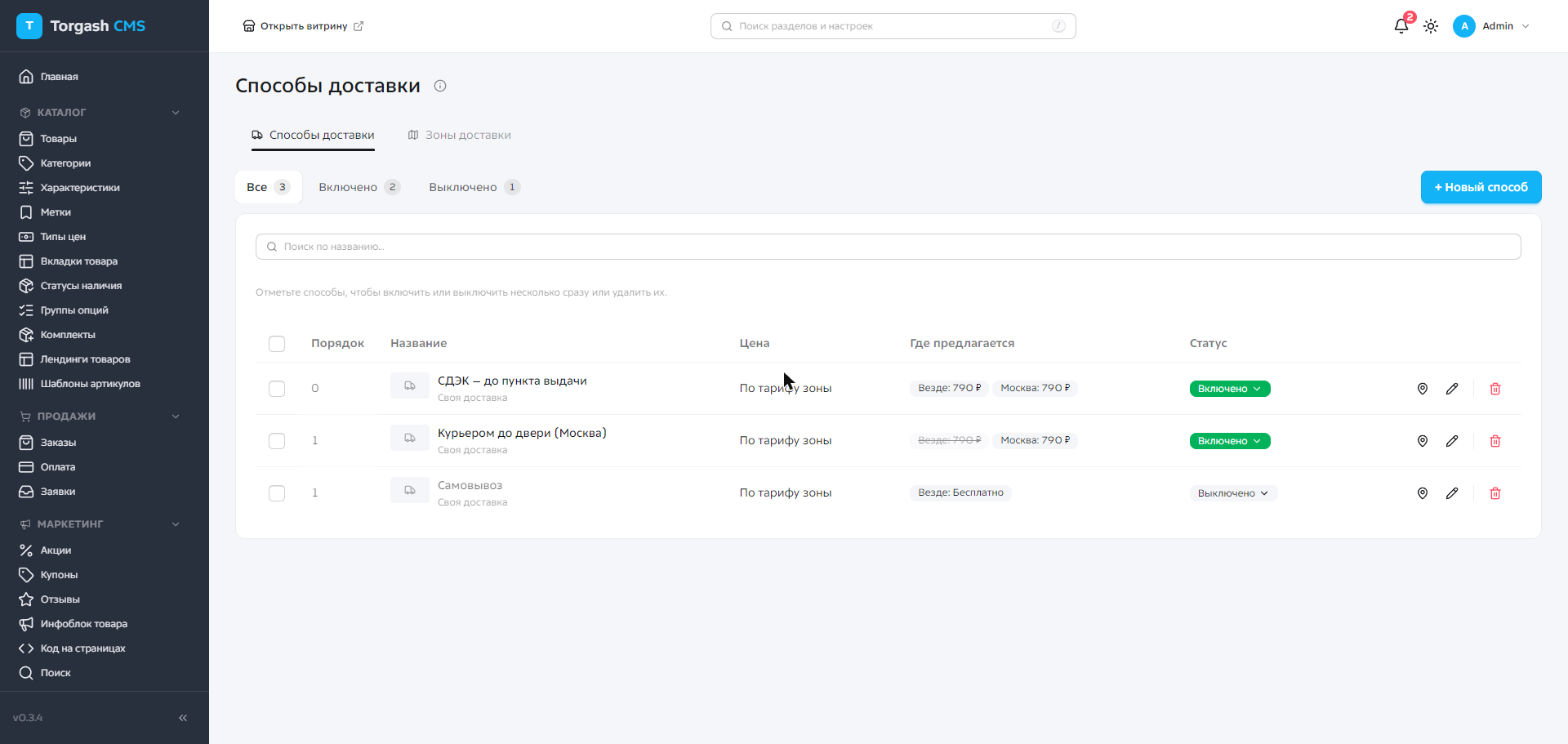
General
- Name and logo — what the customer sees.
- The customer gives a delivery address — switch off for collection from the shop: checkout then asks only for a name and a phone.
- Priced by: the zones’ rates (a base rate and bands), always free, a human after the order (the manager sets the price on the order’s page), or a carrier.
- Position at checkout and status.
Zones and price
For every zone you deliver to, the method has a rate: the base rate, free above an order total, the delivery time in days, and bands by weight, order total or item count: “from 2 kg +150”, “from 5 kg +400”. From each axis the one band the order falls into is taken and added to the base rate. No rate in a zone — the method is not offered there.
Conditions
When to offer the method: only for certain categories, customer groups, a product characteristic or an order amount. With no conditions, the method is offered wherever it has a rate.
Carrier
For a method with a carrier (Nova Poshta, CDEK) — one variant per method: “to a branch”, “to a locker”, “by courier” are separate methods sharing a carrier. The carrier works out the price and time by the customer’s town, offers its branches at checkout, and on the order’s page writes the waybill and prints the label. The carrier’s keys are set in its module’s settings.
Pickup
A method without an address plus pickup points (the warehouses module): the customer picks a shop on a map or in a list, and the order goes to its warehouse.
Popular towns
So a buyer does not have to type their town, a storefront can offer a short list as buttons: one tap and the town is chosen, the delivery re-quoted. Each storefront keeps its own list (a Dnipro storefront offers Dnipro and its neighbours, a Kyiv one Kyiv): System → Storefronts, the storefront, the Popular towns section.
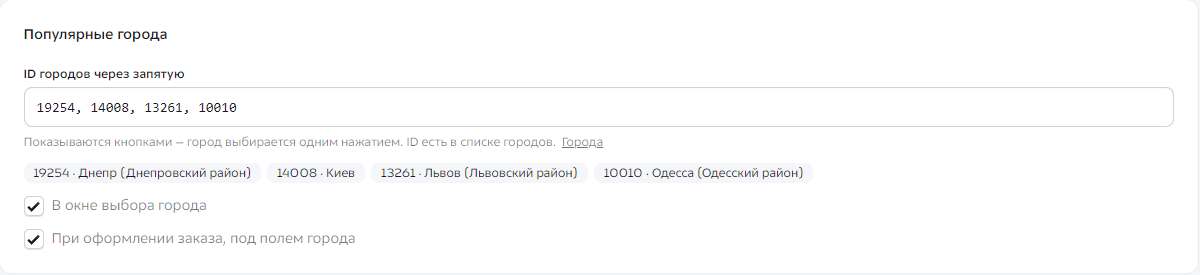
- Town ids, separated by commas — in the order to show them. The id is in the list Logistics → Locations; the names are written out under the field, so a typo shows at once.
- In the “your town” window and At checkout, under the town — where the buttons appear.
An empty field removes the list; a town switched off later is simply not shown.
What’s next
- Payment — the other half of checkout.
- Checkout fields — your own questions for the delivery they concern.
- Taxes — if delivery is taxed.