The + New order button over the orders list opens a page where a manager puts an order together: for a customer who rang, wrote in a messenger or came into the shop.
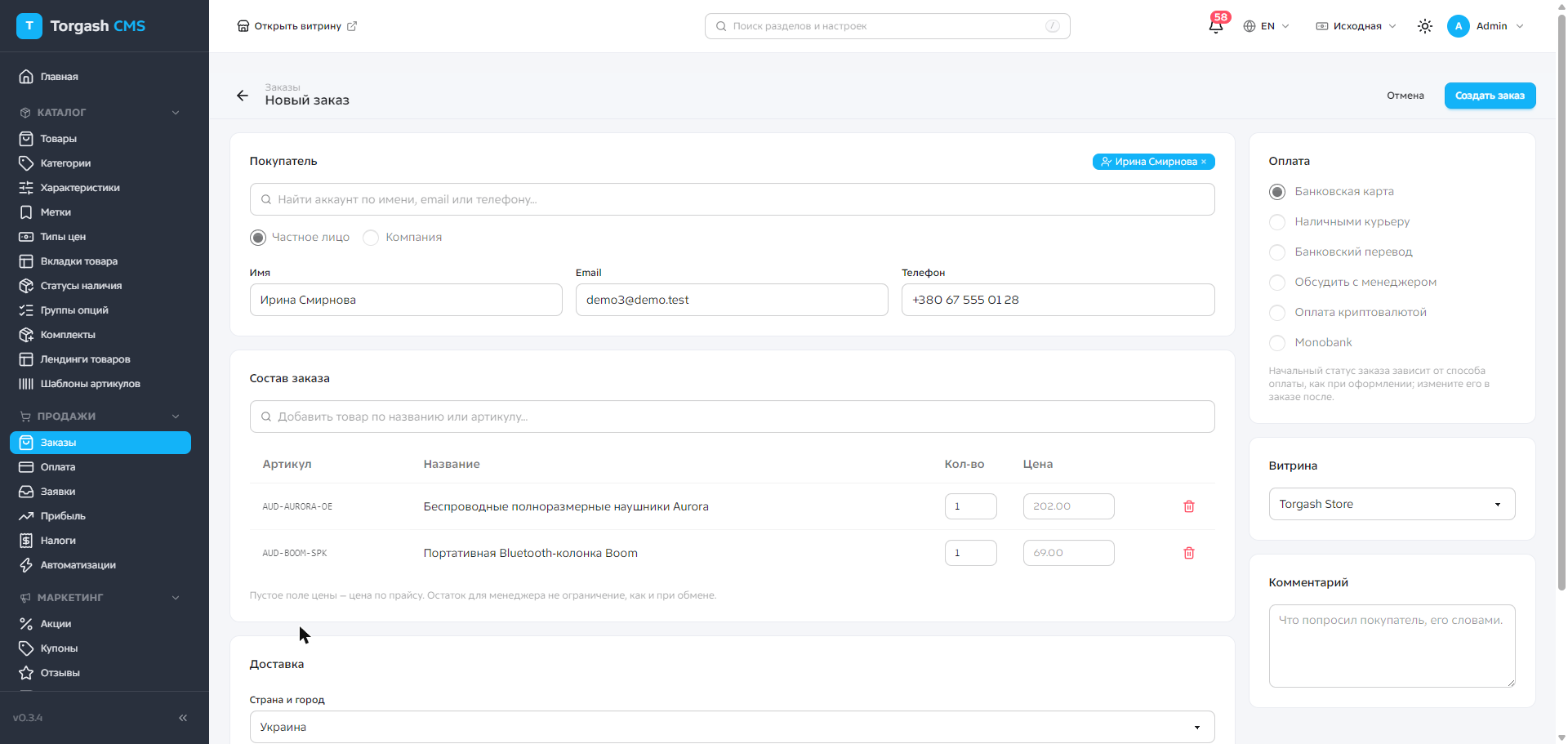
Customer
Start typing a name, e-mail or phone: the suggestions offer customer accounts. A picked account fills in the contacts and the default address, and the order is theirs — the customer sees it in their account. Nobody picked — a guest order; fill the name and contacts by hand.
If the shop takes orders from companies, there is a “private person / company” choice beside, with the company name and tax ID.
Items
Search by name or SKU; Add puts the product on the order, adding it again raises the quantity. A line holds the quantity and the price: an empty box means the list price, your own price is typed right into the line.
Stock is no limit for a manager, as on a return’s exchange: the order is placed even at zero on the shelf.
Delivery
The country (where the shop serves several) and a town from the registry with suggestions, the address, the postal code. The deliveries with their prices are quoted afresh whenever the items or the address change: the same zones, rates and carriers as on the storefront. A town from the registry gives the order its place, which zones and a carrier’s branches match on.
Payment, storefront, comment
- Payment — the enabled methods in order, the first ticked. Those that take the shop’s currency are offered.
- Storefront — when there are several: whose the order is.
- Comment — what the customer asked for, in their words.
What happens after “Create the order”
The order is placed exactly the way a storefront order is: stock is taken, a promotion’s gifts apply, the tax snapshot is frozen, the customer is e-mailed, the log gets “Created from the admin”. The starting status follows the payment method, as at checkout; change it on the order’s page. The page opens at once — with the usual items editor, the coupon and the manager’s discount.
What’s next
- Orders and statuses — what to do with the order next.