Payment methods are under Sales → Payment. The customer picks one at checkout, and the order remembers what it was paid by and in what state.
The methods list
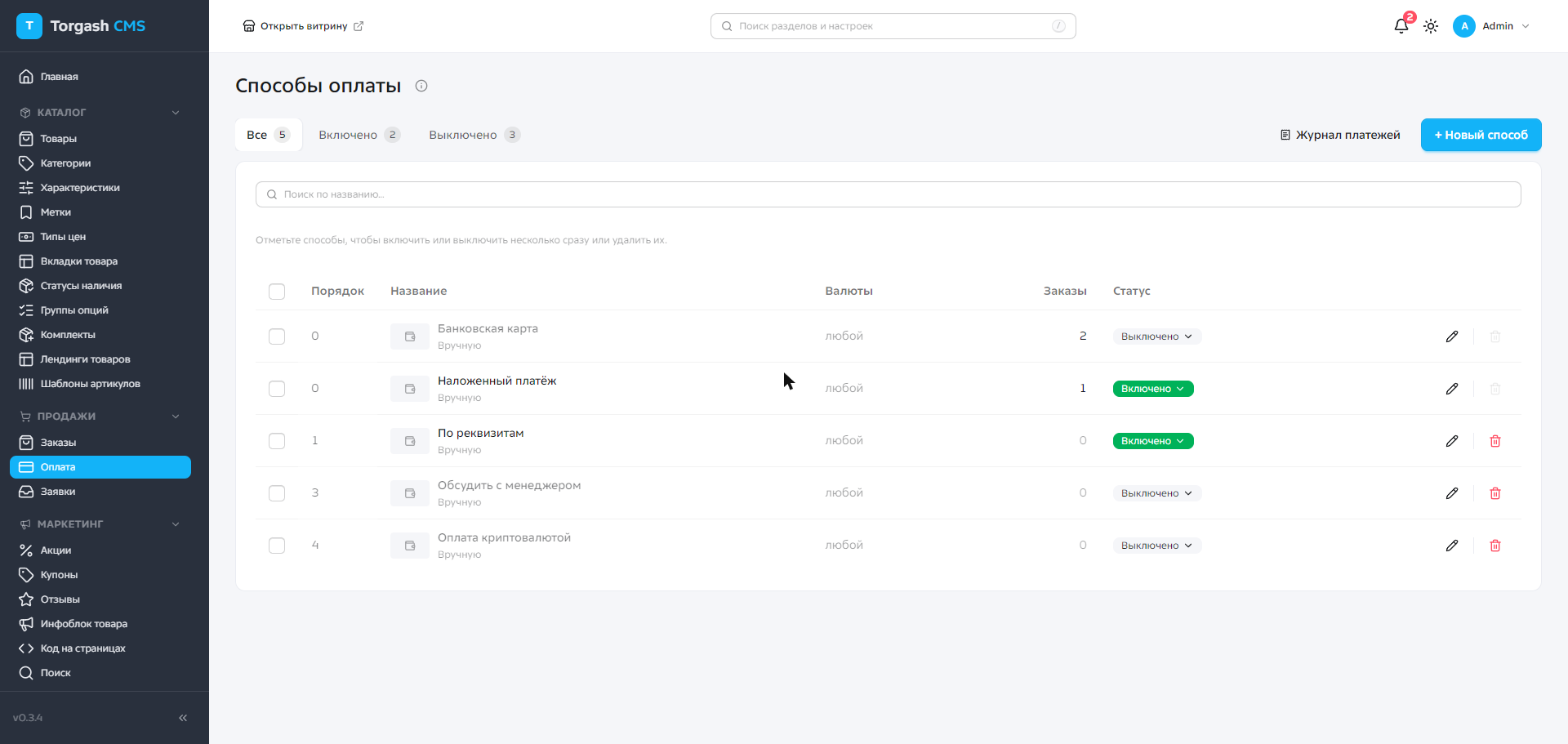
A row holds the position at checkout, the name, the currencies the method takes, the number of orders paid by it and the status. A method orders were paid by cannot be deleted, only switched off: the orders keep its name.
The method’s card
- Name and instructions — the text for the customer on the confirmation page and in the letter: bank details for a transfer, “the courier takes cash and cards”.
- Only accepts certain currencies — for an acquirer with an account in one currency. Off, the method takes an order in whatever the customer was shopping in: right for cash. For the other currencies: do not offer the method, or charge in the method’s currency by the rate, which the customer is told at checkout.
- Prepayment — what part to take online at once, the rest on delivery. Only for methods that take money online.
- Use by default — for buying in one click, when the customer does not choose.
Payment systems
The payments module adds a gateway section to the method’s card: LiqPay, monobank, WayForPay, Stripe and others. Each has its keys, a test mode (payments are not real while you check) and a hold switch — the money is blocked and taken on your confirmation. The payment system’s answers come to the address shown on the card and land in the order’s log.
An order’s payment state
An order has two independent axes: the status (open, shipped, complete) and the payment state: awaiting, authorized, paid, partially paid, partially refunded, refunded, failed, expired. Online payment sets the state itself; for cash and transfers the manager marks the money received on the order’s page, by amount. An order paid online holds no stock until the money comes.
What’s next
- Orders and statuses — where payment is marked.
- Delivery — the other half of checkout.