Most of the shop’s technical SEO works by itself and needs no module. What is configured is the little that depends on the shop, under System → Settings → Store, the cards Pages and addresses and AI agents and crawlers.
What works on its own
- robots.txt and sitemap.xml are composed on the fly at
/robots.txtand/sitemap.xml. No files to put anywhere; arobots.txtplaced in the site’s folder would win over the composed one, so do not. The sitemap names every address with its translations and each product’s photographs; past 50 000 addresses it becomes an index of several files. - What is not for the index stays out of it: the cart, the checkout and the account are closed both in
robots.txtand by a meta tag on the page itself, in every language. - hreflang and canonical are printed on every page. The canonical address is worked out: the address without the parameters that do not change the page, so
?utm_…never reaches the index while?page=2stays a page of its own. - Markup for search engines (schema.org): the organisation and the site on every page, the product with its price and availability on the product page, breadcrumbs. When the storefront’s contacts spell the opening hours legibly (“Mon-Fri 9-18”, “Daily 10-20”), they go into the markup too.
- A text version for machines. Any page is also served as text when
.mdis added to its address:/product/laptop.md. That is how AI assistants read a page without parsing HTML.
Pages and addresses
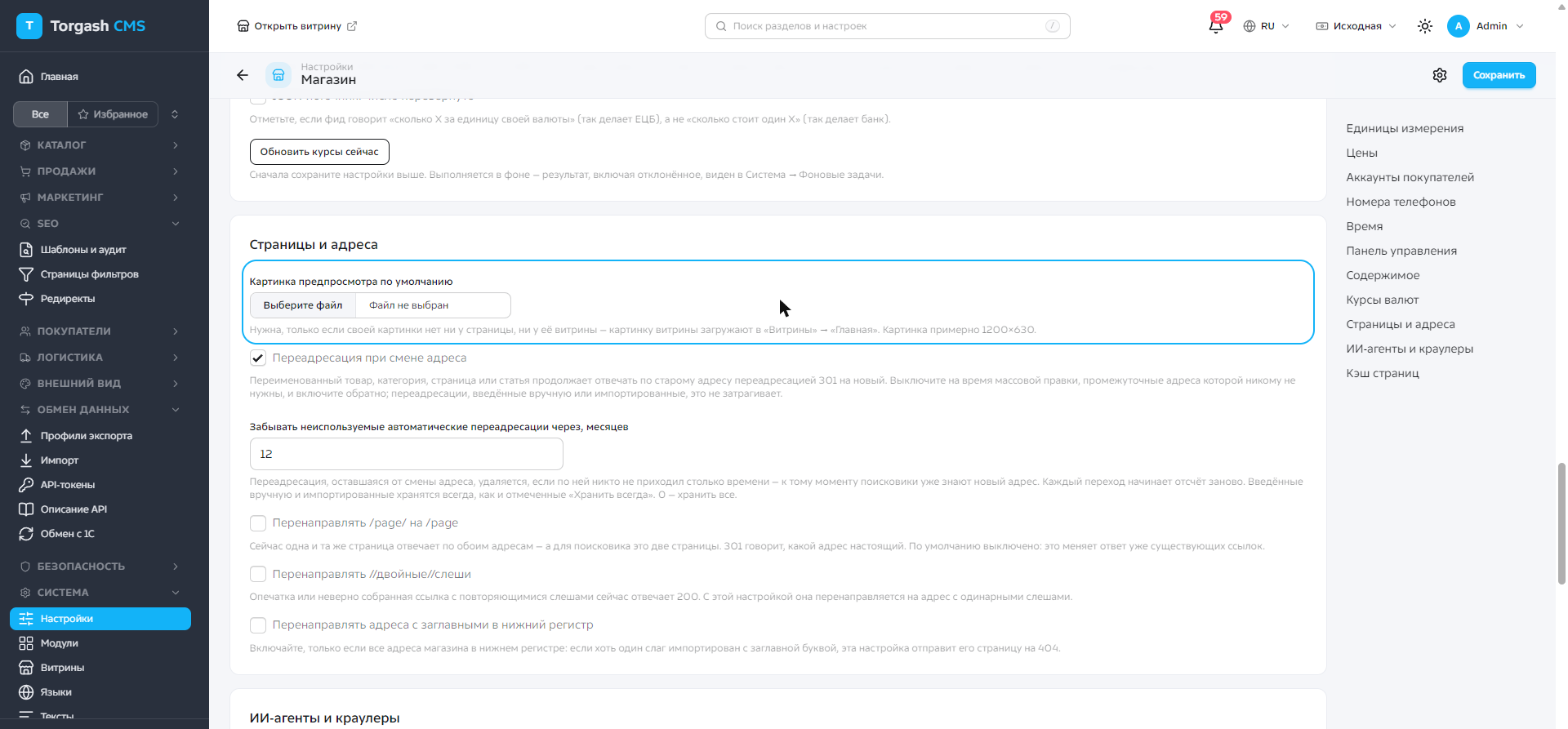
- Default preview picture — what a messenger or a social network shows when the link is shared. The nearest wins: the page’s own picture from its SEO card → the page’s natural picture (the product’s photo, an article’s cover, a brand’s logo) → the storefront’s picture from Storefronts → Home page → this one. Needed only when neither the page nor the storefront has one. About 1200×630.
- Leave a redirect when an address changes — a renamed product, category, page or article keeps answering at its old address with a 301 to the new one. Switch it off for a bulk edit whose intermediate addresses nobody needs, and back on afterwards.
- Forget unused automatic redirects after, months — an automatic redirect nobody has arrived through for that long is deleted: search engines know the new address by then. Manual and imported ones are kept always. 0 keeps everything.
- Redirect /page/ to /page, //double//slashes, addresses with capitals to lower case — three address corrections, off by default. Right now the same page answers at both addresses, and to a search engine that is two pages; a 301 says which address is the real one.
AI agents and crawlers
Two different audiences, two decisions:
- Assistants that fetch a page for somebody — a customer asks an assistant about a product and it opens the page. This half brings the customer back, so it is allowed by default.
- Crawlers collecting pages to train on — take the catalogue for later. Forbidden by default.
The user-agent lists for each half are settings, not constants: agents’ names change monthly, and a new name is added without an update. An agent named in a list gets a group of its own in robots.txt, with the same disallows as everyone.
- What this shop is, in a sentence — the line for
/llms.txt, the short map of the shop for assistants. The map is served only while at least one audience is allowed. - Requests per minute for the text version — the limit for
.mdpages per address. - Extra lines for robots.txt — whatever your particular shop needs added.
Where the pages’ own SEO fields are
The title, meta description, H1, canonical address, “keep out of search engines” and the picture for shared links are on the card of every product, category, brand and page, the SEO tab. They are properties of the page itself: they go into an export, come through the API and do not depend on the SEO module. The home page’s words are set under Storefronts → Home page.