Redirects live under SEO → Redirects. Every redirect is permanent (301): a search engine passes the old address’s weight to the new one, and a customer following an old link lands where they should.
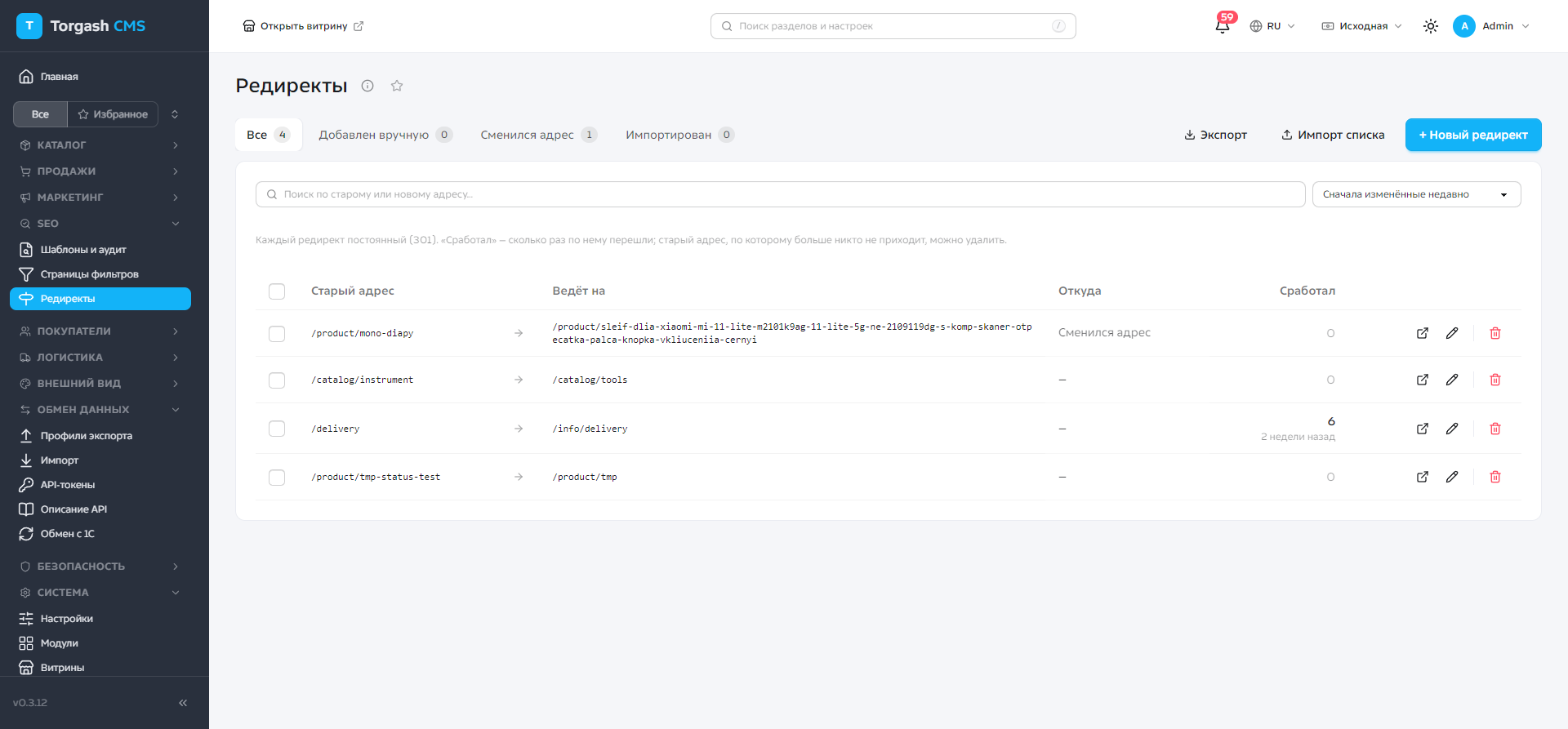
The tabs: All, Added by hand, Address changed, Imported. The search looks in either address; the sort is recently changed first, most used first, never used.
In a row:
- Old address → Goes to — paths without the domain:
/catalog/instrument→/catalog/tools. - Source — who made the row: the shop itself when an address changed, you by hand, an import.
- Used — how many times somebody arrived through it and when last. An old address nobody arrives through any more can be deleted.
Where redirects come from
The shop itself. Rename a product or a category so that its address changes, and the old address starts leading to the new one. This is the setting Leave a redirect when an address changes under Settings → Store → Pages and addresses. Such redirects the shop forgets in time: when nobody has arrived through an old address for as many months as Forget unused automatic redirects after says, the row deletes itself. Press Keep for ever on a row and it becomes a manual one.
By hand. The New redirect button: the old address and where it goes. Manual redirects are kept for ever.
As a list. Import a list: paste or upload lines of “old address, new address”, separated by a comma or a semicolon. That is how a catalogue moves from the previous engine: export its addresses, match them to the new ones, import. Export hands out every redirect in the same CSV shape; fix it in a spreadsheet and load it back.
What not to do with redirects
Three address corrections are settings, not rows: dropping the trailing slash (/page/ → /page), collapsing double slashes and lowering capitals. They are under Settings → Store → Pages and addresses, off by default.