The shop is installed and the owner was created at install. Sign in at /admin with that e-mail and password. This page is about what is worth doing in the first hour.
Check that the server works as a whole
Open System in the menu on the left. At the top of the screen are warnings when something is missing:
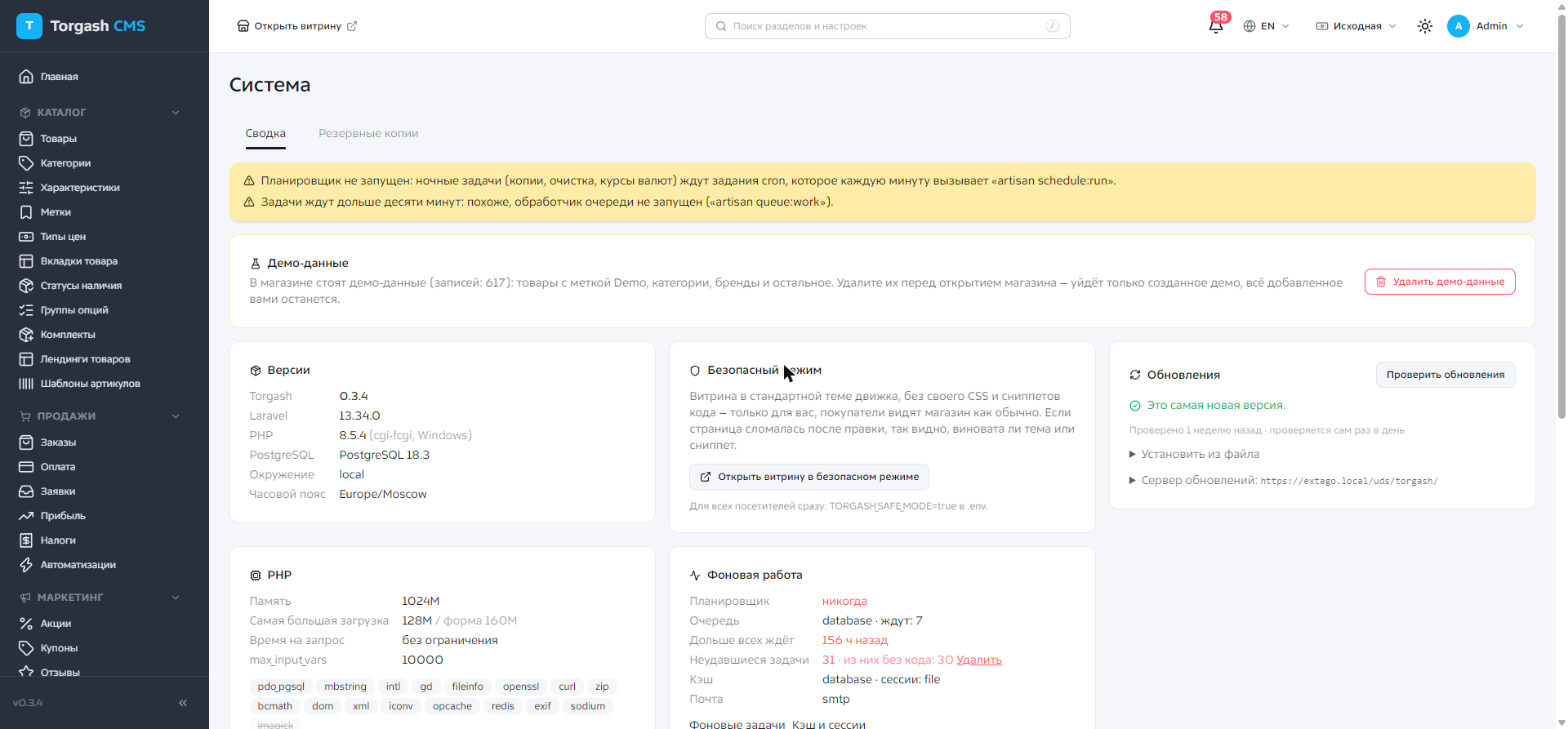
- The scheduler is not running — the server has no cron line
* * * * * php artisan schedule:run. Without it there are no nightly backups, no clean-up, no exchange rates, no scheduled newsletters. - Tasks have waited for over ten minutes — the queue worker (
php artisan queue:work) is not running. Without it no letters go out, no import and no picture rebuild runs.
The step-by-step Ubuntu install, both lines included, is on the Installing page. There too: the Versions, PHP and Background work cards — what is installed and what waits for what.
Look at the demo shop
If you kept the demo data at install, the shop already has products with the Demo label, categories, brands, promotions, reviews, pages and a slider. Open the storefront with the Open the storefront button in the admin’s header and walk around it: the quickest way to see what is set up where.
When your own goods are ready, press Remove the demo data on the System screen: only what the demo created goes, everything you added stays. The removal runs in the background.
The storefront: name, domain, languages, currencies
Storefronts in the menu is what the customer sees. An ordinary shop has one.
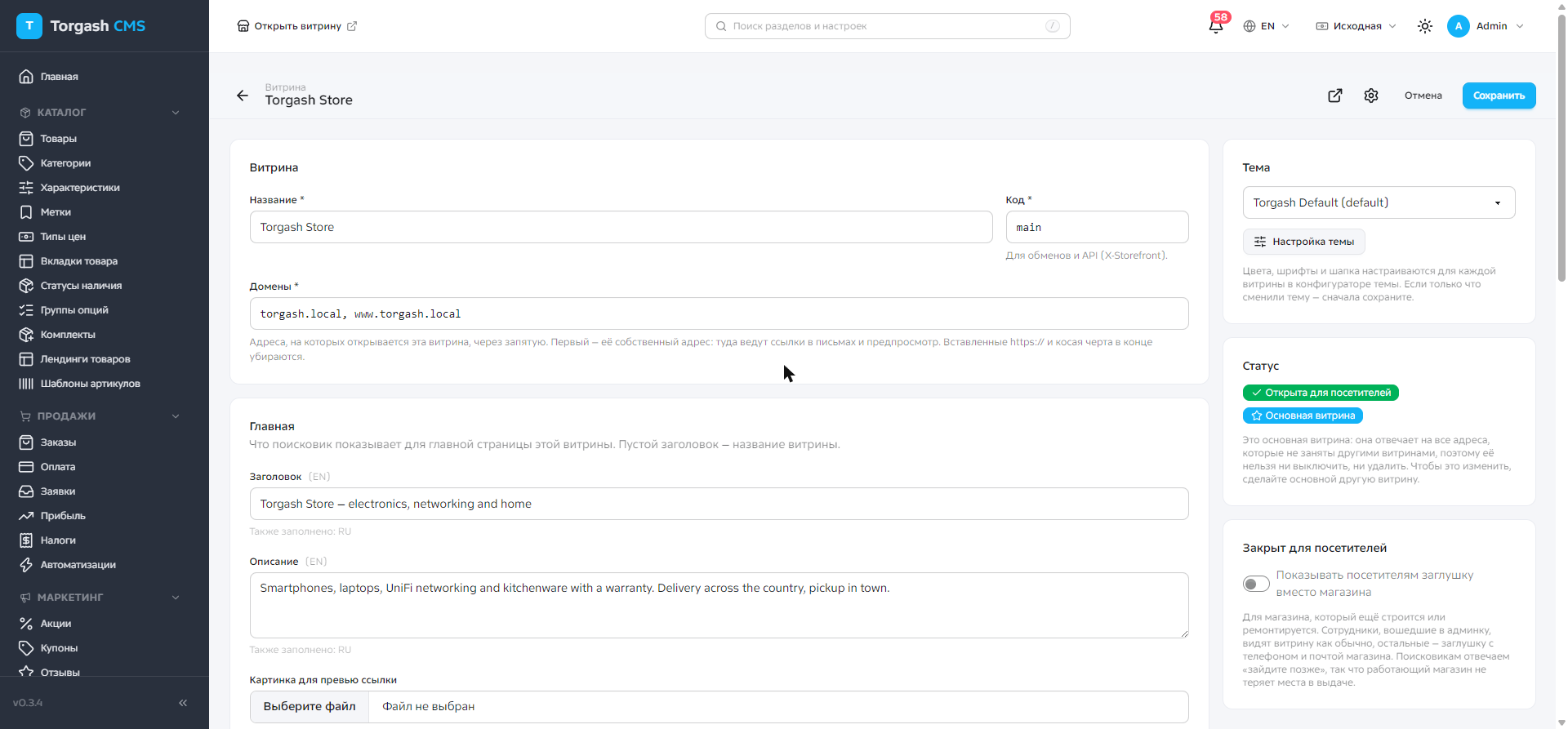
- Name and domains — which addresses lead to this storefront. The “default” storefront takes any address no other one claims.
- Home page — the title and description for search engines and the picture for a shared link.
- Languages — the default language (addresses without a prefix) and the extra ones, each with its own addresses
/ru/…. The languages themselves are set up under the Languages menu item: the base content language, in which a text is required, is set there too. - Currencies — the shop’s currency, prices are kept in it, and the ones a customer can switch to. Rates are set up under the Currencies menu item and can update themselves from a rate source.
- Contact details — phone, e-mail, opening hours, address, the other numbers and social networks. The storefront’s header, letters and invoices print them; the opening hours reach the data search engines read too.
- Status and the Closed for visitors switch. Turn it on while you fill the shop: a guest sees a tidy placeholder, and you, signed in to the admin, the whole storefront.
Units, country, time zone
Under Settings → General (the core’s section): the units of weight and length you type in (the database keeps grams and millimetres), the shop’s default country (goes into phones and addresses), the time zone (the time of orders and reports), where exchange rates come from.
What’s next
- Categories and Product — filling the shop.
- Import from a file — when the goods already sit in a table or at a supplier.
- Delivery and payment — the Sales section.